
LifeStation Review 2026
LifeStation has been a fixture in the medical alert industry for more than four decades, safeguarding older adults through reliable hardware and dedicated emergency monitoring centers. Founded in 1977, the company has built its reputation on running its own dual TMA Five Diamond-certified monitoring facilities in New Jersey and Texas rather than outsourcing emergency calls to third-party call centers.
Its equipment selection addresses diverse lifestyles through three clear formats: traditional and cellular In-Home consoles for seniors who spend most of their time around the house, the compact Sidekick on-the-go communicator for active individuals, and the Sidekick Smart smartwatch for wearers seeking a discreet, wrist-worn appearance. LifeStation also stands out for caregiver innovations like its text-based Find My Loved One tracking feature and Amazon Alexa integration.
This review synthesizes published technical specifications, verified consumer terms, and independent response evaluations. We have not conducted our own hands-on lab evaluations. Our objective is to explain how LifeStation devices perform in typical household settings, analyze the true ongoing costs, and identify who will benefit most from each package. We may receive referral compensation through links on our site.
1. LifeStation at a Glance
LifeStation operates on an equipment lease model paired with a recurring monitoring subscription. In an emergency, pressing the help button connects the wearer to certified response specialists who can assess the incident, speak through the speakerphone, access vital medical notes, and dispatch first responders or family contacts.
- Core systems: In-Home Traditional (Landline), In-Home Wireless (Cellular), Sidekick Mobile, and Sidekick Smart Smartwatch.
- Home coverage: Up to 1,000-foot button range on cellular base stations (500 feet on landline), backed by 32 hours of emergency battery power.
- Mobile connectivity: Nationwide 4G LTE cellular networks combined with GPS and Wi-Fi positioning technology.
- Monitoring facilities: Dual company-owned, TMA Five Diamond-certified and UL-listed response centers located in New Jersey and Texas.
- Caregiver tools: Find My Loved One SMS tracking service and Amazon Alexa voice integration for hands-free system testing and caregiver updates.
- Subscription terms: Month-to-month, quarterly, and annual billing terms with no multi-year lock-ins.
Selecting the appropriate LifeStation package depends on the wearer's daily habits. Seniors who remain primarily indoors will find the In-Home system economical and maintenance-free. Older adults who walk outdoors, run errands, or drive should consider the Sidekick mobile unit or Sidekick Smart watch. Reviewing the LifeStation product options helps determine which system fits best.
2. LifeStation Pros and Cons
Pros
- Dual company-owned TMA Five Diamond-certified monitoring centers ensure rapid, redundant emergency handling
- More than 45 years of industry experience with specialized geriatric training for response operators
- Find My Loved One feature allows caregivers to check GPS locations via simple SMS text messages
- Amazon Alexa integration provides convenient voice-activated status checks and family notifications
- Sidekick mobile unit offers up to 5 days of battery life per charge, minimizing recharging chores
- Month-to-month billing options with no multi-year contracts or early termination penalties
Cons
- Monthly subscription fees are higher than low-cost budget brands, particularly with fall detection added
- Fall detection add-on costs $10 to $11.95 monthly, adding $120 or more to annual costs
- In-Home Landline model has a shorter 500-foot button range compared to some 1,300-foot competitors
- Sidekick Smart smartwatch requires daily charging, requiring a disciplined routine
- Mobile devices rely on local cellular network coverage, which may vary in remote rural areas
- Leased hardware must be returned in good condition upon cancellation to terminate billing
3. LifeStation Devices Compared
LifeStation organizes its product line into stationary in-home systems and wearable mobile communicators. In-home setups rely on a tabletop console plugged into wall power, while mobile communicators integrate cellular modems, GPS receivers, microphones, and speakers directly into a wearable body.
Scroll horizontally to see all columns.
| System | Coverage and location | Power | Everyday fit |
|---|---|---|---|
| In-Home Traditional | In-home tabletop console; landline telephone connection; up to 500 ft button range | AC wall outlet; 32-hour internal backup battery | Budget-focused seniors who have an active landline and spend most of their time indoors |
| In-Home Wireless | In-home tabletop console; nationwide 4G LTE cellular; up to 1,000 ft button range | AC wall outlet; 32-hour internal backup battery | Home-oriented seniors without a landline phone seeking simple, zero-maintenance safety |
| Sidekick Mobile | Nationwide cellular; integrated GPS, Wi-Fi location, and two-way voice in pendant | Rechargeable battery lasting up to 5 days per charge | Active seniors wanting a lightweight, discreet emergency pendant for errands, walks, and travel |
| Sidekick Smart | Nationwide cellular; built-in GPS, pedometer, heart rate tracking, and SOS button | Rechargeable battery lasting 18 to 24 hours; daily charge required | Seniors wanting personal safety integrated into a modern digital wristwatch design |
These specifications represent published manufacturer specifications from the official LifeStation website. Actual battery runtime and cellular connectivity depend on network signal strength, physical obstructions, and individual usage patterns.
For In-Home packages, the lightweight wearable button acts as a wireless radio trigger for the central base station. The wearer must be within earshot of the console to speak with the operator. Mobile systems eliminate this constraint by placing the speaker and microphone directly on the wearer's neck, belt, or wrist.
4. LifeStation Pricing and Fees
LifeStation keeps starting equipment costs minimal by leasing base hardware under standard subscription plans, eliminating the steep $150 to $200 hardware purchases common among retail competitors. However, the exact monthly price depends on the chosen equipment tier and payment interval.
Scroll horizontally to see all columns.
| Package | Monthly monitoring | Hardware model | Upfront activation | Fall detection |
|---|---|---|---|---|
| In-Home Traditional | $32.95/month | Leased with subscription; $0 hardware fee | $0 (with annual billing) | +$10.00/month ($42.95 total) |
| In-Home Wireless | $39.95/month | Leased with subscription; $0 hardware fee | $0 (with annual billing) | +$10.00/month ($49.95 total) |
| Sidekick Mobile | $43.95/month | Leased with subscription; $0 hardware fee | $0 (with annual billing) | +$10.00/month ($53.95 total) |
| Sidekick Smart | $47.95/month | Leased with subscription; one-time fee may apply | $0 to $49.95 | +$10.00/month ($57.95 total) |
Pricing reflects published LifeStation rates checked in October 2026. LifeStation regularly offers promotional incentives, such as waiving shipping fees or including a complimentary lockbox when subscribers select annual or semi-annual payment schedules. Because hardware is leased on most packages, equipment must be returned in good working order when closing an account.
How Much Do Extras Change the Bill?
Adding optional services will increase the ongoing cost of service. Automatic fall detection costs $10.00 per month across compatible home and mobile systems, adding $120.00 to the annual total.
Other popular add-ons include a master lockbox ($29.95 one-time or included with annual plans), wall-mounted emergency buttons for bathrooms and bedside tables ($2.99 to $5.00 per month), and secondary help buttons for a spouse ($5.00 to $10.00 per month). On a Sidekick Mobile plan with fall detection, the total comes to $53.95 per month, totaling $647.40 per year.
Monthly, Quarterly, and Annual Billing
Choosing a payment interval balances short-term flexibility with long-term savings. Month-to-month billing provides the convenience of canceling anytime, but often carries higher monthly fees and upfront shipping charges ($12.50 to $15.00).
Quarterly and annual payment plans lower the effective monthly monitoring rate and typically include free standard ground shipping and a free combination key lockbox. Because LifeStation does not enforce long-term contracts, subscribers who prepay annually can still cancel service at any time and receive a prorated refund for unused prepaid months once leased equipment is returned.
5. LifeStation Device Reviews
In-Home Traditional & Wireless: Best for Around the House

Best for: Seniors who spend the vast majority of their time at home and want reliable, maintenance-free emergency protection.
Key specifications: Landline or nationwide 4G LTE cellular connection; powerful two-way speakerphone; 32-hour internal backup battery; waterproof neck pendant or wrist button with up to 1,000-foot wireless range (500 feet on landline).
The In-Home system provides reliable household safety. The Traditional unit connects directly into a standard telephone wall jack, while the Wireless model contains a built-in cellular radio that operates independently without telephone wiring.
The standout advantage of the In-Home system is its maintenance-free wearable button. Powered by an internal lithium battery engineered to last up to five years, the pendant or wristband never needs to be placed on a charging dock. Seniors can wear it continuously, including in the shower and while sleeping.
The primary limitation is that two-way voice communication takes place exclusively through the base console. While the button transmits an alert from up to 1,000 feet away, a wearer in an upstairs bedroom or backyard may not hear the operator clearly. In these cases, operators follow standard emergency protocol and dispatch assistance.
Sidekick Mobile: Best for Active Lifestyles
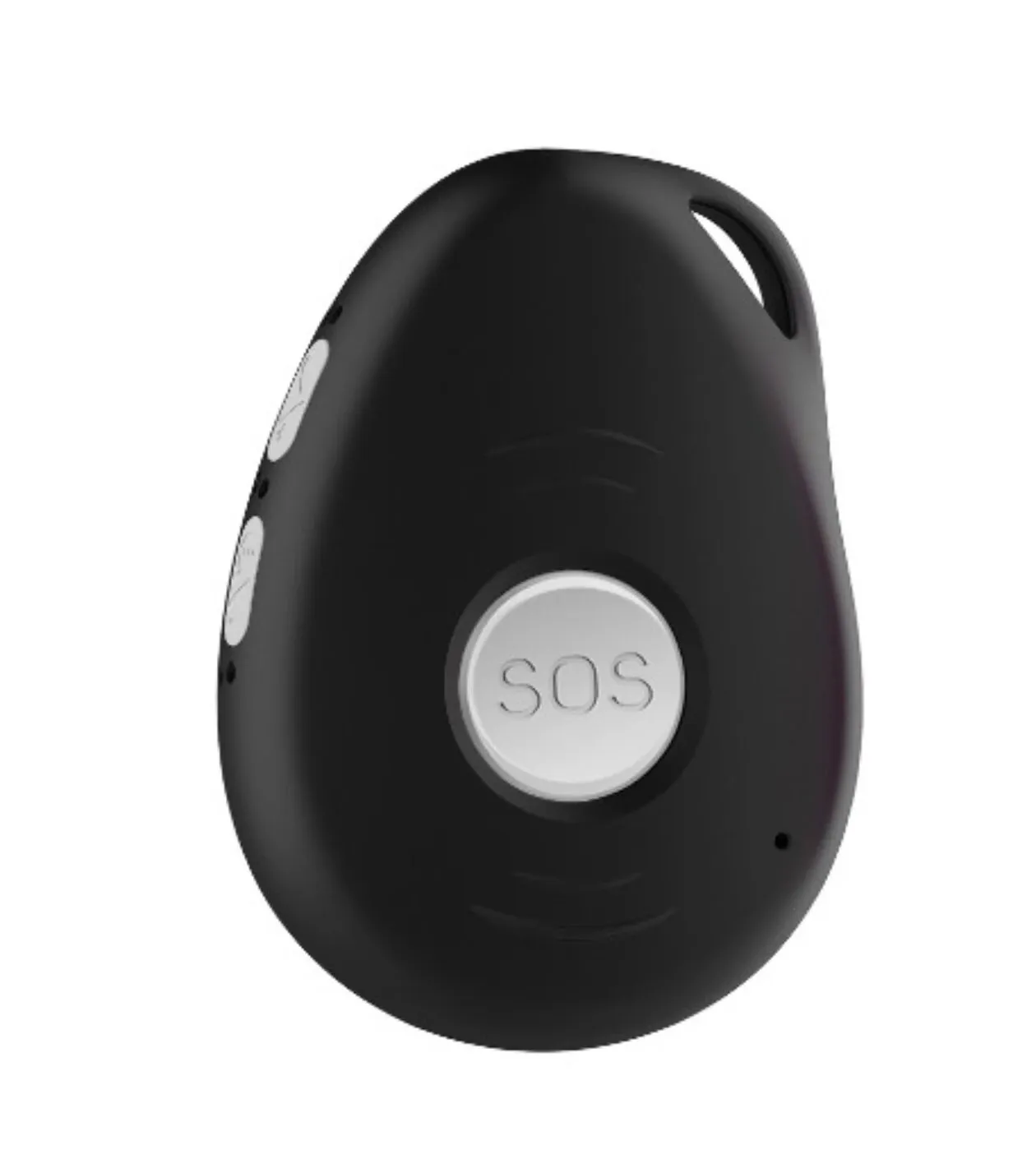
Best for: Active older adults who leave home regularly for walks, shopping, family visits, or church and want protection wherever they travel.
Key specifications: Nationwide 4G LTE cellular connectivity; integrated GPS and Wi-Fi positioning; built-in two-way speaker and microphone; up to 5 days of battery life; optional automatic fall detection.
The Sidekick is LifeStation's dedicated mobile medical alert pendant. Compact and lightweight, it can be worn around the neck on a lanyard, clipped to a belt, or carried in a pocket or purse.
Because the two-way speakerphone is housed inside the wearable device, the wearer can speak directly with response specialists from anywhere with cellular reception. Operators utilize multi-source GPS and Wi-Fi data to pinpoint the user's location even if they cannot speak or are disoriented.
With a battery runtime of up to five days per charge, the Sidekick requires far less frequent recharging than medical alert smartwatches, reducing the risk that the device is left on a charger when the user heads out the door.
Sidekick Smart: Modern Wrist Styling
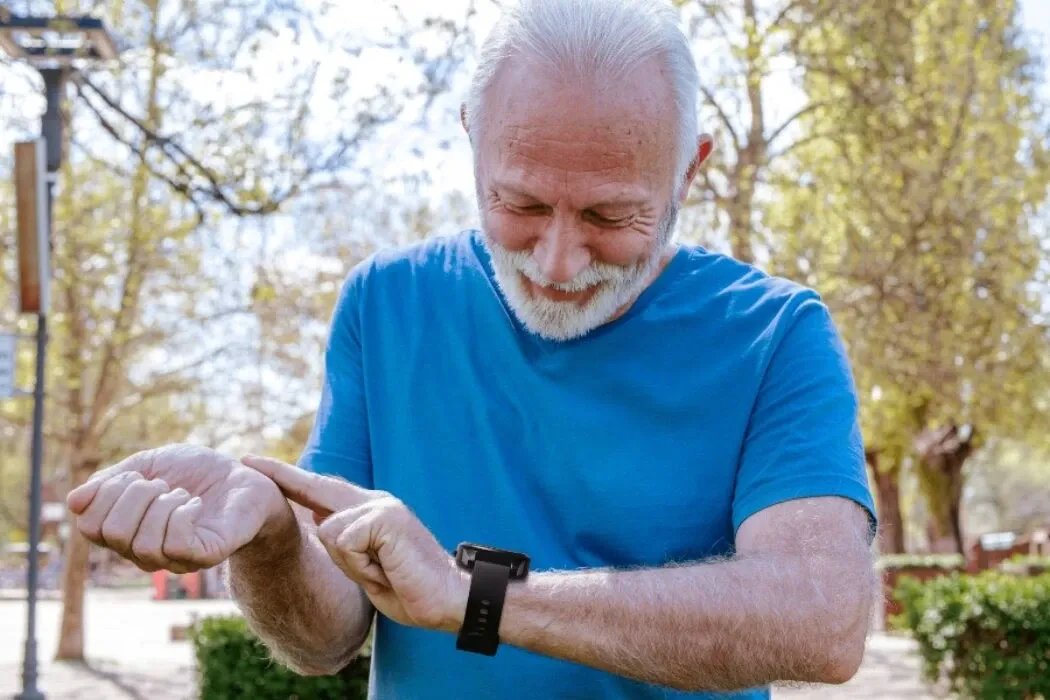
Best for: Seniors who dislike traditional emergency pendants and prefer a contemporary, discreet wristwatch design.
Key specifications: Dedicated cellular connectivity; built-in GPS location; color touchscreen; physical red SOS help button; integrated step counter and heart rate monitor.
The Sidekick Smart packages emergency response into a stylish smartwatch format. It displays the digital time, date, battery status, and daily fitness metrics on a bright, easy-to-read screen. Its modern look helps overcome the stigma some seniors associate with medical alert pendants.
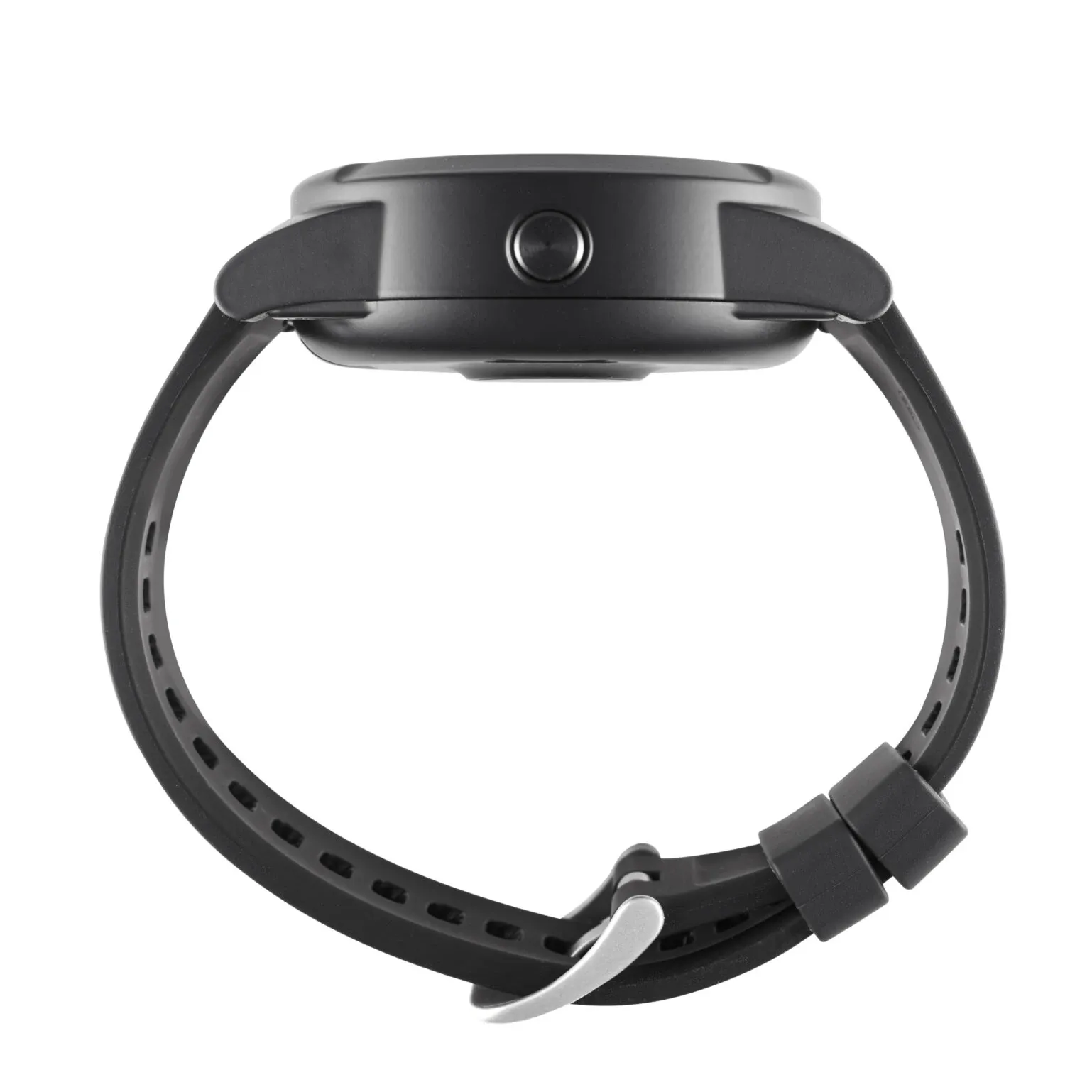
To request assistance, the wearer holds down the physical red emergency button on the side of the watch case or taps the emergency icon on the touchscreen. The built-in wrist speaker and microphone allow direct conversation with a LifeStation operator.
The main trade-off of the smartwatch format is battery endurance. Like consumer smartwatches, it requires daily charging, lasting between 18 and 24 hours per charge. Wearers must develop a consistent habit of placing the watch in its charging cradle each day while bathing or reading.
6. How Does LifeStation Work?
Initiating an emergency call with LifeStation is straightforward:
- Button Activation: The wearer presses the emergency button on their pendant, wristband, smartwatch, or base console. If fall detection is equipped and a fall occurs, the device triggers the call automatically.
- Encrypted Signal Routing: The signal connects immediately to LifeStation's monitoring center over landline telephone lines or nationwide cellular networks.
- Live Operator Response: A certified response specialist answers the call through the two-way speaker, typically within 20 to 30 seconds.
- Situation Evaluation: The specialist checks the user's condition, references their medical history profile, and determines whether emergency services or family contacts should be mobilized.
- Dispatch and Contact Notification: The operator contacts local 911 dispatchers with the user's address or GPS coordinates, provides the lockbox code for door access, and notifies designated family contacts.
If a call is initiated and the subscriber does not respond to the operator's voice, the specialist treats the situation as a critical emergency, immediately dispatching local paramedics and alerting family members.
7. Performance and Reliability
Response Speed and Call Center Operations
LifeStation owns and operates its monitoring facilities in Union, New Jersey and Houston, Texas. Both centers are TMA Five Diamond-certified and UL-listed, meeting rigorous standards for staffing, equipment redundancy, and emergency backup power.
Independent consumer tests routinely clock LifeStation's operator response times between 20 and 30 seconds. Operators complete extensive training in geriatric communication and emergency handling, ensuring calls are handled with calm, professional efficiency.
Cellular Coverage and Dual-Location Tracking
LifeStation's cellular and mobile devices operate on major nationwide 4G LTE wireless networks. The Sidekick mobile communicator combines GPS satellite signals with nearby Wi-Fi network beacon data to pinpoint the user's coordinates when outside the home.
Audio clarity is consistent across the lineup. The In-Home base console features an amplified loudspeaker designed to be heard across adjacent rooms, while the mobile communicator incorporates background noise reduction to ensure clear communication outdoors.
Fall Detection Performance
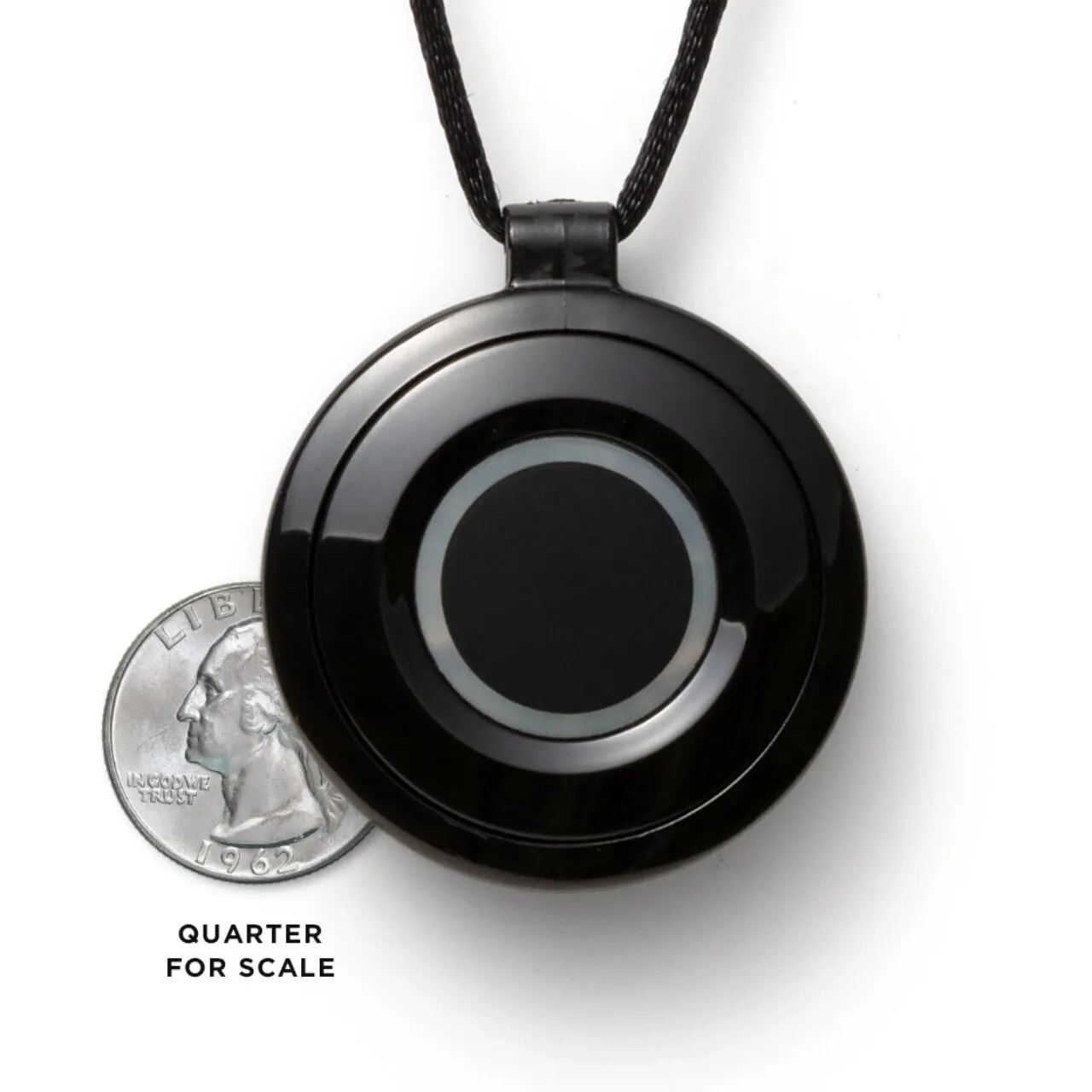
LifeStation offers automatic fall detection as an optional upgrade across both home and mobile configurations. The sensor pendant uses multi-axis accelerometers and proprietary algorithms to detect rapid downward movement followed by an abrupt stop and period of immobility.
When a fall pattern is identified, the device initiates an automatic emergency call without requiring manual button activation. This feature is especially valuable for individuals with mobility challenges, balance disorders, or a history of fainting.
However, consumers must keep in mind that no fall detection technology can guarantee 100% accuracy. Gradual slips, sliding down from a chair, or falls onto cushioned furniture may not generate the acceleration required to trigger an automatic alarm. Wearers should always press the physical emergency button manually whenever they are able.
8. Features and Add-ons
LifeStation provides several practical accessories to tailor home and personal security:
- Key Lockbox: A heavy-duty combination lockbox that secures an exterior house key, allowing first responders to enter without damaging doors or windows.
- Wall-Mounted Help Buttons: Large emergency buttons that mount to bathroom tiles or bedside tables for backup access in high-risk areas.
- Additional Household Buttons: Extra wearable buttons allowing a spouse or housemate to share an In-Home base unit for a modest monthly add-on fee.
- Amazon Alexa Skill: A smart home integration allowing users and caregivers to check system status and place test calls using voice commands.
9. Setup and Ease of Use
LifeStation hardware arrives pre-activated and pre-programmed, allowing for simple do-it-yourself installation without technical expertise or tools.
Setting up the In-Home Wireless system involves four steps:
- Place the base station in a central room on a flat surface near an electrical wall outlet.
- Plug the power cord into an unswitched electrical outlet.
- Switch on the power button on the back of the base console and listen for the voice prompt confirming connection to the cellular network.
- Press the wearable help button to initiate a live test call and confirm two-way communication with an operator.
Setting up the Sidekick mobile communicator is just as straightforward: plug the magnetic charging dock into an outlet, place the pendant in the dock until the battery light confirms a full charge, and step outside to make a quick test call. LifeStation recommends testing systems once a month.
10. Caregiver Features and Find My Loved One

LifeStation provides intuitive caregiver tools designed to minimize technical complexity. Rather than requiring family members to download and configure a complex mobile app, LifeStation offers its proprietary Find My Loved One service.
Key benefits of LifeStation caregiver tools include:
- SMS Text-Based Location Requests: Designated caregivers can simply send a text message (such as 'Find Dad') from any standard cell phone to instantly receive an automated reply with a map link showing the mobile device's current GPS location.
- Online Caregiver Portal: Family members can log into the secure web portal to review emergency contact order, check system status, and manage billing details.
- Amazon Alexa Integration: Family members with Alexa-enabled smart speakers can say "Alexa, locate Mom" or "Alexa, tell LifeStation to test my system" to check device status hands-free.
This SMS-centric approach is especially convenient for busy family members who prefer quick text updates over navigating complex mobile applications.
11. Customer Service, Warranty, and Cancellation
Monitoring Center Quality
LifeStation's monitoring centers operate 24 hours a day, 365 days a year from company-owned facilities. With two geographically separate locations in New Jersey and Texas, calls automatically route to the secondary center during severe regional weather or network outages.
Administrative customer support is available by phone during standard business hours. Staff members are helpful and knowledgeable, with access to translation services supporting more than 240 languages.
Equipment Warranty and Protection
Standard subscription plans include equipment replacement for hardware failures resulting from normal wear and tear or manufacturer defects. If a base station or mobile communicator stops functioning properly, LifeStation replaces it at no cost.
For protection against accidental drops, liquid damage, or lost hardware, subscribers can add LifeStation's optional Protection Plan for a small monthly fee.
Cancellation Terms and Process
LifeStation provides flexible, consumer-friendly cancellation terms:
- 30-Day Money-Back Guarantee: New subscribers can evaluate the system for 30 days. If unsatisfied, the account can be canceled for a refund of monitoring fees (less shipping charges).
- No Multi-Year Lock-In: Service is billed on a month-to-month, quarterly, or annual basis and can be discontinued at any time without early cancellation penalties.
- Equipment Return Requirement: Because equipment is leased, billing continues until all components (base station, buttons, power adapters, and charging docks) are returned to LifeStation's warehouse.
- Tracked Return Shipping: Always ship returned hardware using a tracked postal service and retain the shipping receipt until written cancellation confirmation is received.
12. LifeStation vs. Competitors
Comparing LifeStation with other prominent providers highlights its specific strengths and trade-offs:
Scroll horizontally to see all columns.
| Provider | Reason to compare | Decision to check |
|---|---|---|
| LifeStation | Dual company-owned monitoring centers, Find My Loved One text alerts, and 5-day mobile battery life | Fall detection adds $10-$11.95/mo and landline range is 500 ft |
| Bay Alarm Medical | Lower monthly starting rates ($27.95/mo) and lightweight SOS Micro option | Mobile hardware requires an upfront purchase ($149-$199) |
| Medical Guardian | Modern Guardian Flex and MGMove designs with rich MyGuardian smartphone app | Higher upfront equipment costs and additional monthly app fees |
| LifeFone | 16-day VIPx battery life, free spouse monitoring, and $5 fall detection upgrade | Compare annual plan promotions and included accessory bundles |
| Medical Alert | Budget-friendly leased home plans, 30-hour base backup battery, and 5-day mobile battery | Caregiver app is basic compared to LifeStation's SMS tracking tools |
| Lifeline | Patented AutoAlert barometric fall detection and comprehensive Lifeline Cares app | Higher monthly subscription costs and upfront startup fees |
LifeStation's primary advantage over Medical Guardian and Bay Alarm Medical is that mobile equipment is leased rather than sold upfront, lowering starting costs. Additionally, its text-based Find My Loved One feature provides practical location access without requiring smartphone app installations.
13. Who Should Buy LifeStation?
Best for:
- Seniors seeking proven, U.S.-based monitoring: Subscribers who appreciate company-owned, TMA Five Diamond-certified response centers in New Jersey and Texas.
- Family caregivers wanting effortless location checks: The Find My Loved One SMS tracking tool allows caregivers to check locations without downloading apps.
- Active older adults wanting multi-day battery life: The Sidekick mobile unit's 5-day battery runtime offers practical convenience for users on the go.
- Budget-conscious buyers wanting leased hardware: Leased equipment options avoid high upfront equipment purchase costs.
Not ideal for:
- Seniors with sprawling properties requiring a landline button range beyond 500 feet.
- Budget shoppers looking for sub-$30 monitoring plans.
- Families wanting advanced app features like automatic geofencing alerts or medication scheduling.
14. Final Verdict: Is LifeStation Worth It?
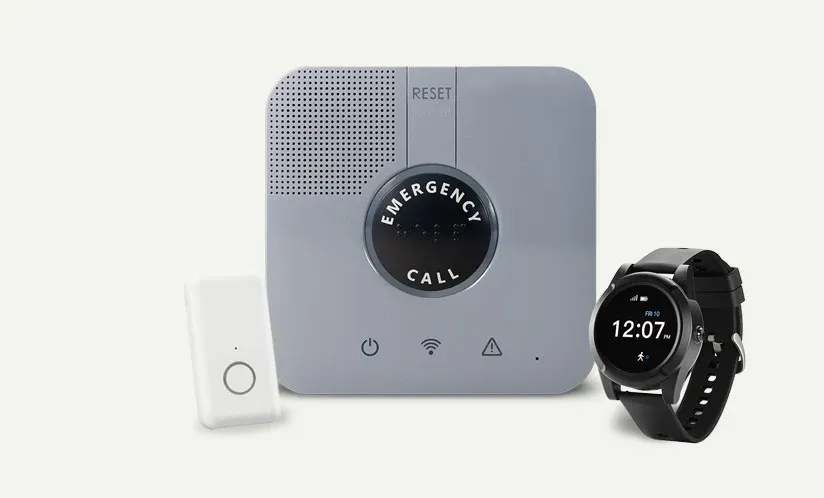
LifeStation delivers dependable, time-tested emergency response backed by company-owned, certified monitoring facilities. Its straightforward equipment lineup covers household routines with the In-Home base unit and mobile independence with the Sidekick communicator and Sidekick Smart watch.
While fall detection add-ons and month-to-month plans carry slightly higher rates than discount competitors, LifeStation offsets this with leased hardware, excellent 5-day mobile battery longevity, and innovative caregiver tools like text-based Find My Loved One tracking and Amazon Alexa integration.
With no long-term contracts, responsive monitoring specialists, and flexible equipment choices, LifeStation remains a trustworthy, highly capable option for seniors seeking personal safety and peace of mind.
VIEW LIFESTATION PLANS