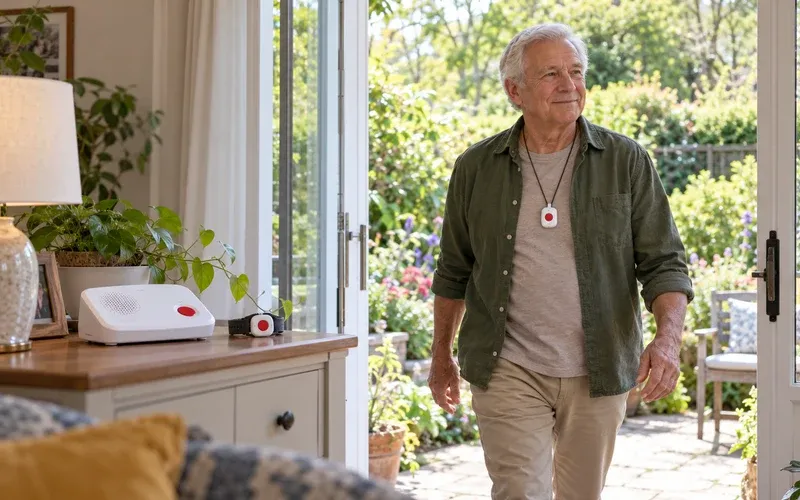
The main difference between an in-home and a mobile medical alert system is where the communicator goes. A home setup usually keeps the main unit in the house and pairs it with a wearable button. A mobile device brings its connection and, on supported models, its speaker and location functions along with the wearer.
That distinction matters more than whether the equipment is called wireless. A home base can use a cellular network while still being intended for use around the house. This guide explains how to compare the formats, match them to a routine, and ask for an equivalent service quote.
1. How Does an In-Home Medical Alert System Work?
An in-home system generally combines a powered base with one or more wearable help buttons. The button signals the base, which contacts monitoring through its specified connection. The wearable's useful range is relative to that base rather than a promise of coverage wherever the wearer travels.
Two common choices are a landline base and a cellular base. The first depends on a compatible telephone connection; the second uses the provider's supported cellular service. Check the requirements for the exact model, including backup power and what must remain connected during an outage.
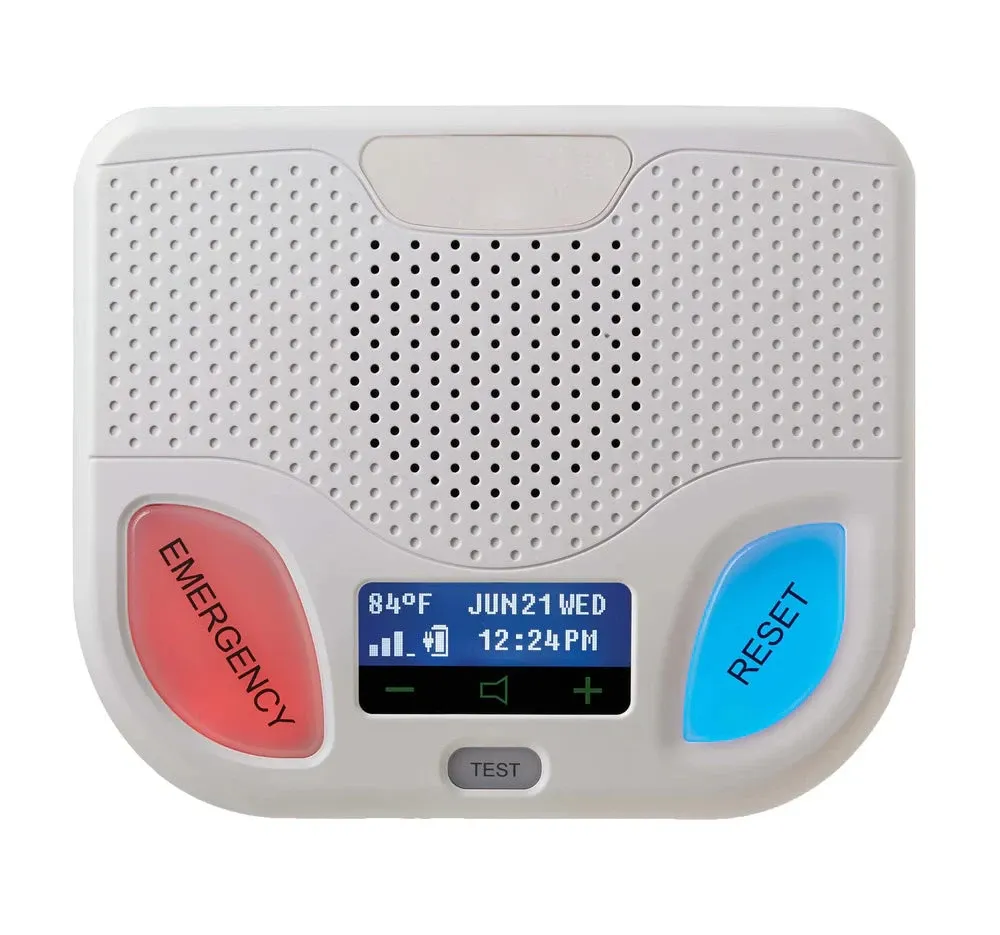
MobileHelp's Classic Cellular is an example of a home cellular format. It differs from that company's portable Elite model despite both involving cellular service. A family choosing solely by the word cellular could therefore buy a different kind of coverage from the one intended.
The base location also affects conversation. Check whether the wearable has a speaker or only sends a signal. A button that successfully reaches the base from a bedroom does not establish that the wearer can be clearly heard through a speaker in another room.
2. What Changes With a Mobile Pendant or Communicator?
A portable medical alert device is designed to accompany the wearer away from the home base. Supported models combine a help control with cellular service, voice communication, and location tools. The practical appeal is having the main communicator during a walk or errand rather than leaving it in the living room.
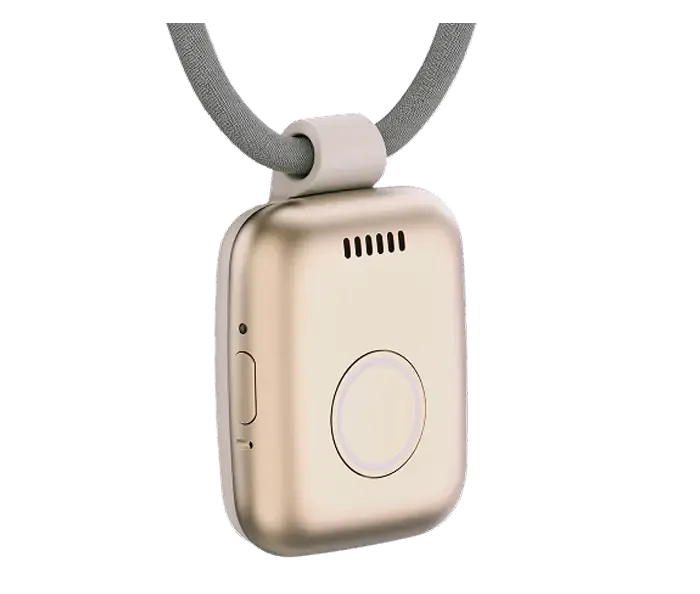
The Guardian Flex description and MobileHelp Elite page show two current portable options. Check the equipment actually being supplied, the supported network, and the chosen attachment. A necklace, clip, and wrist accessory do not necessarily provide identical optional functions.
Mobile coverage still depends on reception and battery power. Ask about the places the wearer visits and learn what the device's indicators mean. A nationwide description does not establish reliable operation in a basement, remote trail, or every indoor destination.
Location support is useful information for a response, but its availability, accuracy, and update timing vary. Ask how monitoring receives location and which information an authorized caregiver can view. A map display and an audible misplaced-device locator answer different questions.
3. Compare the Everyday Differences
Use the format comparison as a starting point, then verify the specific model. Some systems add accessories or combine functions, so the category name alone does not establish everything included in the order.
Scroll horizontally to see all columns.
| Question | In-home system | Mobile communicator | What to verify |
|---|---|---|---|
| Where does it work? | Within the usable range of its home base | At supported locations with suitable reception | Actual rooms, yard, routes, and destinations |
| How does it connect? | A specified landline or cellular base connection | A supported portable cellular connection | Network, account setup, and service availability |
| Where does speech happen? | Commonly through the base speaker | On models with a built-in speaker and microphone | The exact wearable's audio capability |
| How is it powered? | A plugged-in base and specified backup; button batteries vary | A rechargeable device with a charging routine | Runtime, backup limits, and arrangements during charging |
| What about location? | Usually centered on the registered home setup | Model-dependent location tools | Who can view information and how recently it was updated |
| Is fall detection automatic? | Only with compatible, enabled equipment and service | Only on compatible, enabled configurations | Accessory, activation, wearing position, and limitations |
For a specific example, MGHome Cellular's FAQ separates the help button from the base's voice functions and describes a backup battery. Those details apply to that model; they should not be assumed for every home system. Likewise, a portable device's advertised battery interval is not a standard for every pendant or watch.
4. Where Do Medical Alert Watches Fit?
A medical alert watch can be a mobile format, but its shape does not establish its connection requirements or services. Some watches are standalone communicators; others may depend on additional equipment or a personal phone. Ask about the exact watch instead of generalizing from a familiar consumer smartwatch.
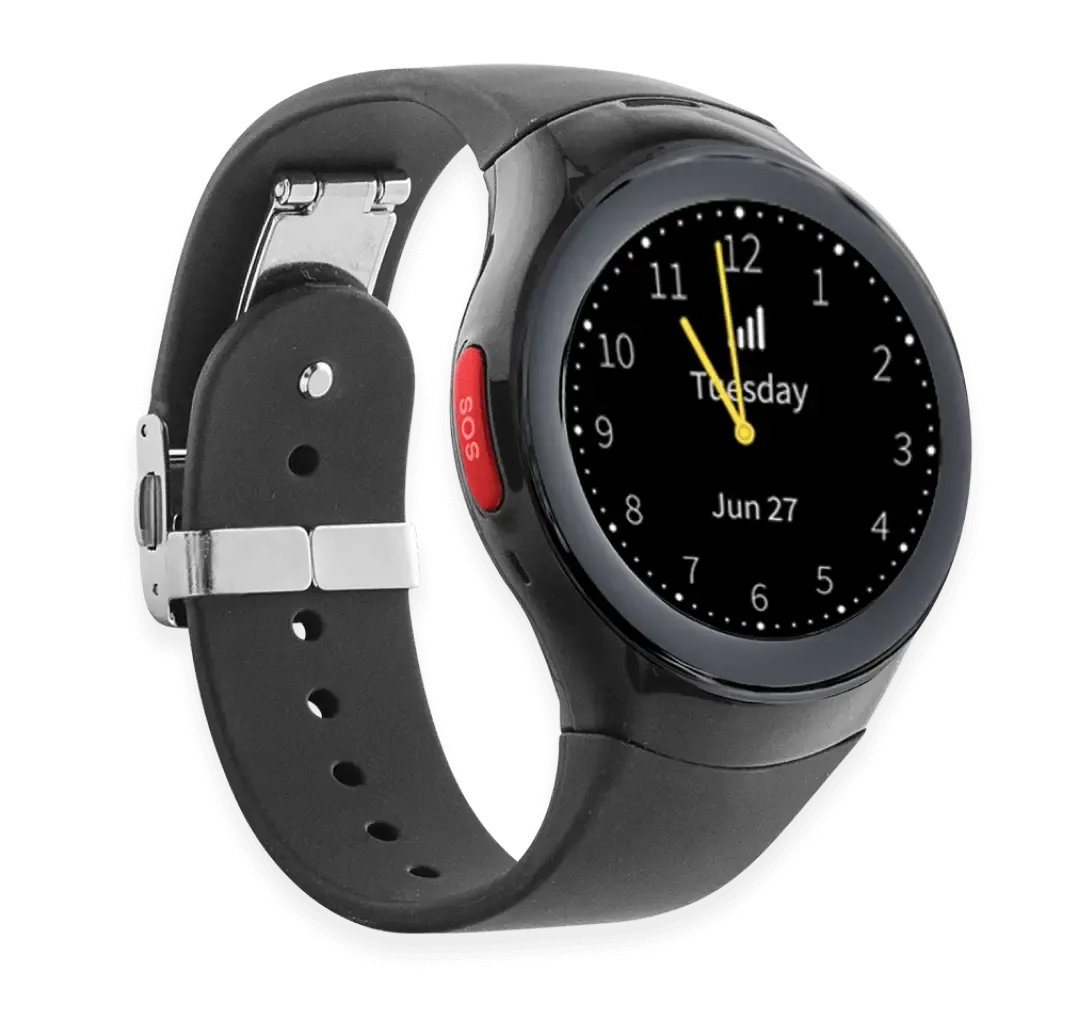
Have the wearer try the strap, screen, and physical help control. A display that looks readable in a product photograph can be harder to operate with wet hands, limited dexterity, or poor eyesight. Also check how the emergency function is started without navigating several screens.
Charging is part of the comparison. A watch worn comfortably during the day may need an agreed arrangement when it is removed. Confirm the model's instructions and plan an alternative way to request help during that time. Do not assume every watch includes fall detection because it has an SOS button.
The Bay Alarm Medical review and Medical Guardian review describe current watch alternatives alongside their other device formats.
5. Match the Format to an Ordinary Week
Write down the locations where the person wants a help device available. Include sleeping areas, the shower, garden, exercise, shopping, and visits rather than choosing around an unusual trip alone. Then discuss which device the wearer is willing and able to use in those circumstances.
- Mostly home: A base and small button may be a straightforward starting point if tested coverage and audio suit the property.
- Frequent outings: Investigate a mobile communicator and reception along usual routes.
- A preference for a watch: Test the controls and charging routine before making appearance the deciding factor.
- Mixed needs: Ask whether one device covers the routine or whether a compatible additional button or separate arrangement is needed.
For two people, establish who is identified when each button is pressed and what happens when one person leaves home. An extra home button does not automatically become a second portable subscription. Ask for a description of the exact configuration rather than relying on a bundle's name.
Our guide for seniors living alone adds questions about contacts, home access, and sharing responsibility for setup. The person's preference should remain part of the decision even when someone else handles ordering and billing.
6. Compare Equivalent Costs and Service Terms
A basic home rate and a portable package with extras are not an equivalent comparison. Ask each company for the configuration the wearer actually needs. Record what is due on the first bill and what repeats after a promotion ends.
Scroll horizontally to see all columns.
| Item | Home-system question | Mobile-system question |
|---|---|---|
| Connection | Does the household need to retain compatible telephone service? | Is the required cellular service included in monitoring? |
| Equipment | Is the base leased, and what buttons are supplied? | Is the communicator purchased or leased, and is a charger included? |
| Optional features | Does detection require a separate pendant or recurring fee? | Are detection, caregiver tools, and attachments included or extra? |
| Billing | What is the actual monthly charge or prepaid amount? | What happens when an introductory mobile offer ends? |
| Ending service | What must be returned, and when does billing stop? | What are the monitoring commitment and equipment-return terms? |
Do the arithmetic on the stated billing basis. Twelve monthly payments are different from an annual-plan monthly equivalent, and equipment costs should not disappear from the comparison. Keep detection and other extras separate until the provider confirms they are included.
The MobileHelp review illustrates why written service terms deserve their own check alongside a starting price. A device-return window, minimum monitoring commitment, and refund for unused prepaid service are distinct questions. Apply the terms for the order rather than a promise from a different provider or older review.
7. Test the Supplied Setup Before Relying on It
Use the manufacturer's approved test procedure and explain that the call is a test. For a home base, check the places where the wearer expects the button to work and whether speech is understandable. For a mobile device, include the ordinary locations where it will be carried.
- Verify the equipment, account address, contacts, and enabled options.
- Check power or charging indications and learn what any warnings mean.
- Test every supplied help button as instructed, not only the base control.
- Practice the wearable attachment and charging steps with the person using them.
- Ask what happens if a request reaches monitoring but the wearer cannot speak.
- Save the quick-start guide and assign responsibility for routine tests and account updates.
MobileHelp's setup FAQ is one example of model-specific charging and testing guidance. Follow the instructions supplied with your own equipment; button-hold times and indicators described for another model may differ.
Automatic detection needs a separate compatibility and activation check. Our fall-detection guide explains its limits. A successful help-button test does not establish that every fall will be recognized, and staging a fall is not an appropriate way to evaluate the system.
8. Which Type Should You Choose?
Start with an in-home system if the main need is around the house and its tested range, audio, and connection fit the property. Start with a mobile system if the main need includes being away from that base. Consider a watch when the wearer prefers the format and can manage its controls and charging.
For a shortlist, compare Medical Guardian, Bay Alarm Medical, and MobileHelp by the actual devices and packages being offered. This guide explains the decision process rather than ranking untested equipment by a single specification.
Include comfort, family responsibilities, and the complete quote in the final choice. The best fit is an understandable way to request assistance where the person spends time, supported by a routine that keeps the equipment ready and accessible.
Compare Medical Alert Systems