Featured Medical Alert
01

- Guardian Flex - Wear It Your Way
- Necklace, wristband, or belt
- GPS tracking and two-way talk
- Up to 5-day battery life
- Optional automatic fall detection
We may earn a commission from featured providers. Compensation may influence the placement of listings.
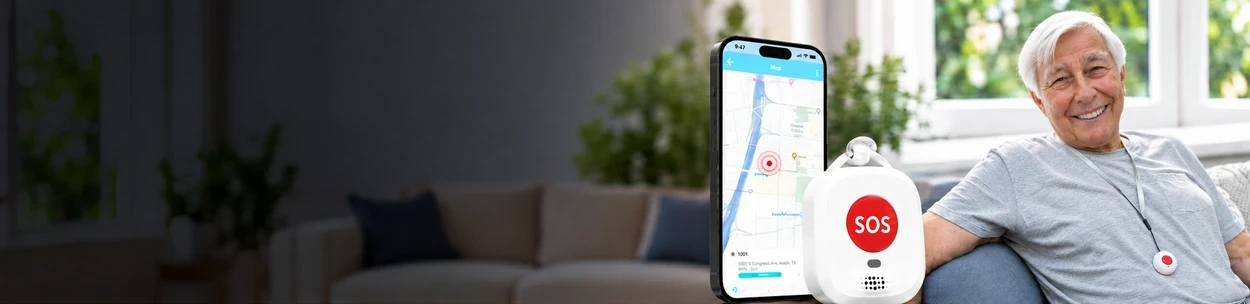
Find medical alert options that fit your daily routine, budget, and family - at home or on the go.
Last Updated: November 2026
Featured Medical Alert
Necklace, wristband, or belt

Medical alerts in a smartwatch

One-touch SOS and two-way talk
01
02
03
04

05

06

07

08

Our Top Choice
01
Choosing a medical alert system starts with everyday life: time spent at home, trips outside, comfort with technology, and the support a family member may need. Medical Alert Picks brings eight providers into one comparison so you can explore their devices and services with those priorities in mind.
A medical alert system connects a wearable help button or home unit to a response service. Monitored systems let you speak with a specialist who can contact a caregiver or send emergency assistance. Some devices also offer location features and automatic fall detection.
Devices and subscriptions vary. Compare the exact model and plan rather than assuming every product from a provider includes the same features.
Think about where you will wear the device and whether its buttons, weight, and charging routine are comfortable for you.
The advertised monthly fee is only part of the cost. Your first-year total may include equipment, setup, shipping, and optional services. Annual billing can lower the displayed monthly rate while requiring a larger payment upfront.
Ask the provider for a breakdown of the device and plan you want. Confirm how long any promotion lasts and what you will pay afterward.
Automatic fall detection is intended to trigger an alert when the device detects a possible fall. It cannot identify every fall, and availability varies by model. Confirm the wearing position, added cost, and effect on battery life with the provider.
For caregivers, useful questions include who receives an alert, how location is shared, and whether an app subscription is needed.
Use the provider links above to check current device specifications, pricing, and service terms. The right fit depends on your routine, budget, comfort, and available connectivity.
This guide draws on publicly available information from NCOA, Medical Alert, and Lifeline. Provider features and offers can change; confirm the details for your chosen model before ordering.
How We Compare
Pressing a help button connects you with a monitoring service through a home base unit or mobile device. The response specialist assesses the situation and can contact your designated caregivers or emergency services.
It depends on the device. Some home systems use a landline; others use cellular service. Many mobile devices have their own cellular connection and do not need a smartphone. Confirm the requirements and coverage for your address.
No. Automatic fall detection may miss a fall or trigger a false alarm. It is often an optional feature with an additional charge. Follow the wearing instructions and press the help button when you need assistance and are able to do so.
Many wearable help buttons are designed for shower use, but water-resistance limits differ. Check the instructions for the exact model. A water-resistant pendant does not mean its base station or charging cradle can get wet.
Look at monitoring fees, equipment charges, activation, shipping, optional fall detection, and caregiver features. Check whether an advertised monthly rate requires annual payment or changes after a promotion.
A home system works within the range of its base unit. A mobile system can provide access to help away from home where cellular coverage is available. Choose around your routine, charging needs, and local signal coverage.
Cancellation and return policies vary by provider and plan. Check the trial period, return deadline, equipment-return requirements, refund terms, and any restocking or cancellation charges before ordering.