
Living alone does not mean making every decision alone. A medical alert system can provide a way to request assistance when a phone is out of reach, but choosing one involves more than buying a pendant. The device, connection, response procedure, and everyday routine need to work together.
This guide helps older adults and families turn those questions into a manageable plan. It is a research-based buying guide, not a device test or an assessment of whether a particular person can safely live independently. Include the person who will wear the device throughout the decision.
1. What Can a Medical Alert System Add to Living Alone?
A monitored medical alert system offers an accessible way to start a request for help. Depending on the equipment and service, a button or compatible automatic feature sends an alert to monitoring staff, who assess the situation and coordinate a response. A medical ID necklace that displays information is a different kind of tool; it does not necessarily contact anyone.
The National Institute on Aging's guide to services at home describes emergency alert systems as one possible support for older adults. It also emphasizes that correct setup, wearing the device, and maintaining its battery matter. These systems do not replace regular check-ins from family, friends, or caregivers.
Begin with the circumstances that make requesting help difficult. Is the phone usually left charging in another room? Does the person spend time gardening alone? Would an easy-to-reach button be useful during a shower? A clear account of daily activities is more useful than choosing the device with the longest feature list.
Discuss broader support needs separately. Meal preparation, transportation, medication questions, and companionship do not become resolved simply because someone has a monitored button. An alert system can be part of a plan while other services or personal support remain necessary.
2. Which Device Format Fits the Person's Routine?
Start with where the person spends an ordinary week. A home base and small button may suit someone who mostly stays around the house. A mobile communicator may be more useful for walks and errands. A watch can be appealing if its controls, fastening, and charging demands fit the wearer.
Scroll horizontally to see all columns.
| Format | Potential fit | What to check | Main limitation |
|---|---|---|---|
| Home base and wearable button | Mostly home use with a small, familiar help control | Connection, tested room coverage, speaker location, and backup power | Standard home buttons depend on the base station |
| Mobile pendant or compact communicator | Regular walks, appointments, and errands | Reception, voice and location functions, comfort, and charging | Connectivity and battery still affect operation |
| Medical alert watch | Someone who prefers a wrist-worn screen and can manage it | SOS operation, compatible detection, fastening, and charging | A familiar watch shape does not guarantee easy operation |
A simple button around the house
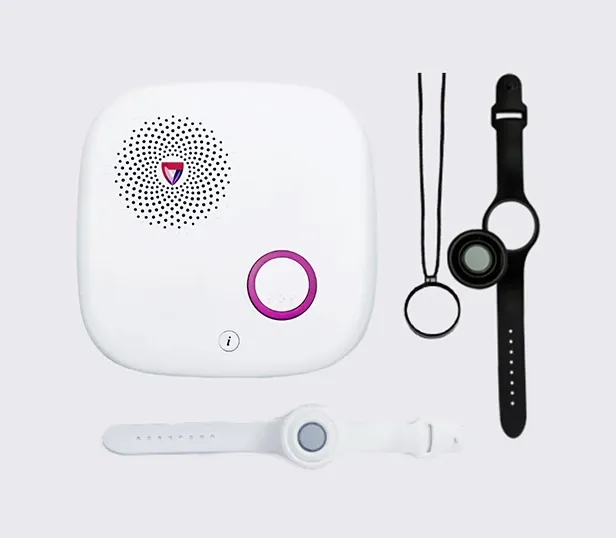
Check where two-way speech occurs. The MGHome Cellular description, for example, distinguishes the wearable trigger from the base station's speaker. The button might reach the base from a room where ordinary conversation is difficult. Test both functions with the provider's approved procedure.
A communicator that goes along on outings
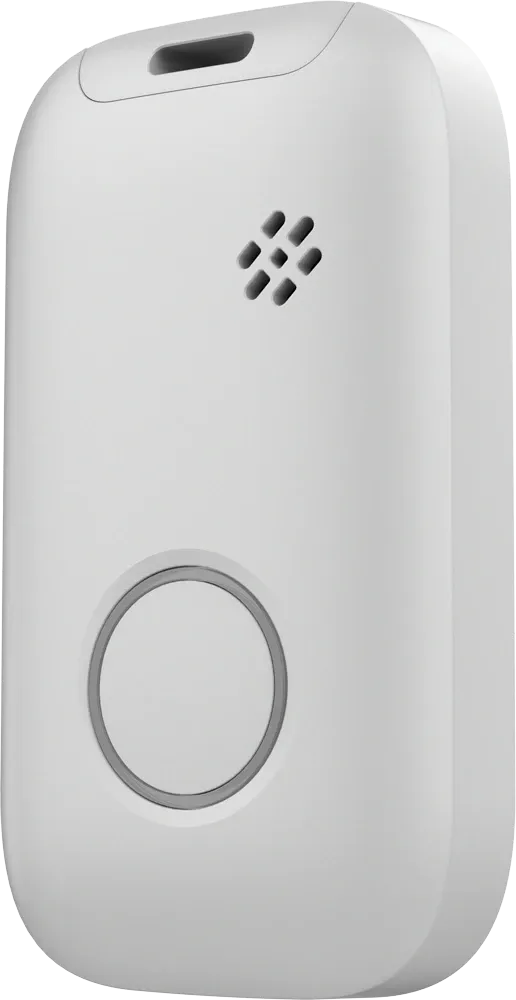
The Elite product page describes portable voice and location functions. This type of device is worth investigating when the main concern includes being away from home. Ask about the carrier and actual destinations rather than interpreting a nationwide description as a promise of coverage everywhere.
A wrist-worn alternative
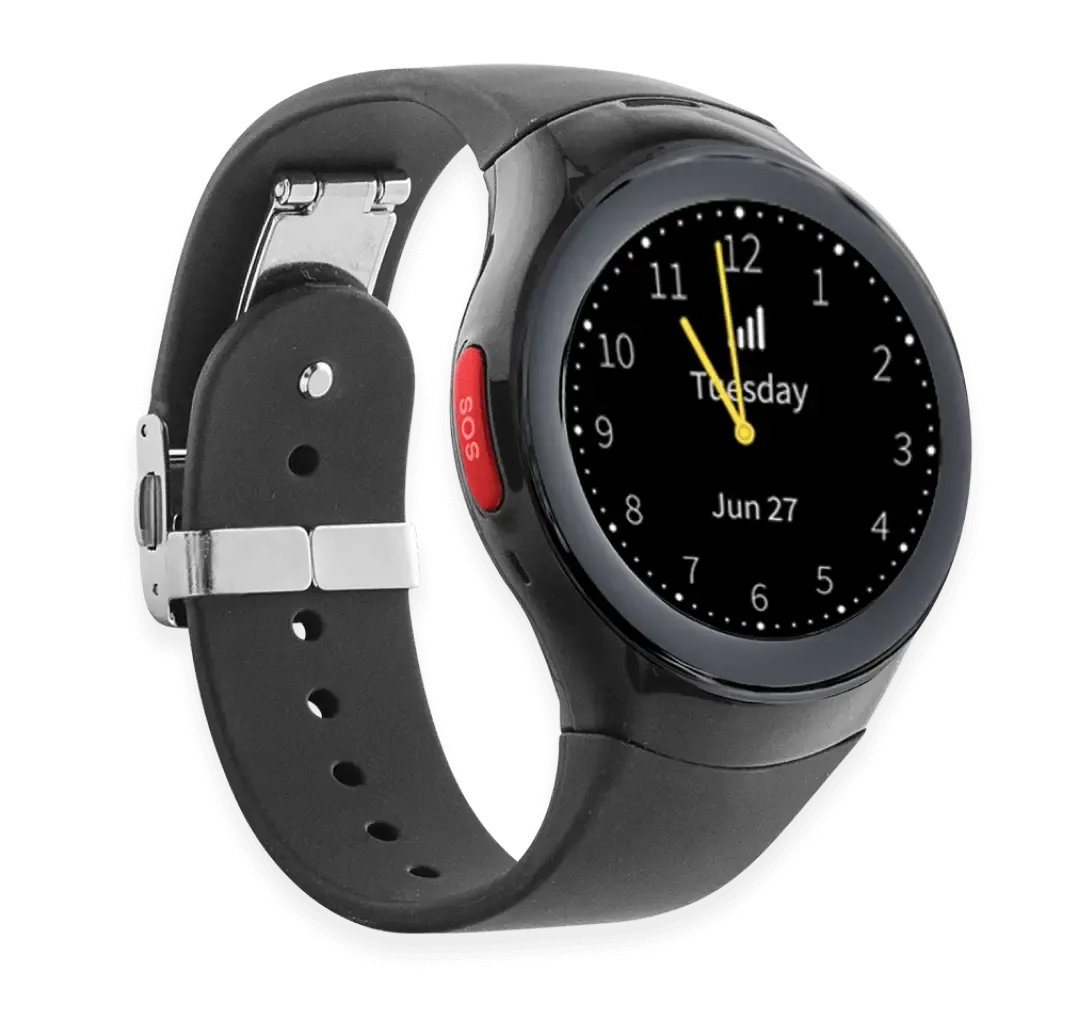
Let the wearer try the help control and strap. Ask whether the exact watch supports the optional features wanted and what remains available while it is charging. A pendant the person uses consistently may be a better choice than a watch they find uncomfortable or complicated.
3. Who Answers an Alert and Who Gets Contacted?
Ask the provider to describe the entire response path. Who receives the initial signal? Where does the person speak? What happens if they cannot answer? Which contacts can monitoring staff call, and when are emergency services involved? Keep those answers with the account information.
Do not assume every service starts in the same way. MobileHelp's current FAQ describes an automated assistant before escalation to a live operator in the relevant circumstances. Other equipment or providers may follow different procedures. Practice the actual instructions so an unfamiliar prompt is less likely to cause confusion.
Choose contacts who understand the role and agree to it. A nearby neighbor may be useful for an access problem, while a relative living far away may help coordinate information. Do not list someone solely because they are family if they cannot reliably answer or have not agreed to receive calls.
A monitoring connection is not the same as a responder arriving. Ask about the procedure without treating an advertised connection time as an emergency arrival guarantee. Accurate account details, clear access information, and an understood contact plan all make the arrangement easier to manage.
4. Should You Add Automatic Fall Detection or Location Tools?
Automatic fall detection may initiate an alert when compatible equipment recognizes a possible fall. It is an additional feature to evaluate, not a reason to stop using the help button. Compatibility, activation, and wearing instructions apply to the specific device rather than every accessory sold by a brand.
Both Medical Guardian and MobileHelp state that detection can miss falls. If help is needed and the wearer can press the button, follow the device's instructions and do so. Use approved button tests instead of staging a fall yourself.
Location tools need separate questions. Does the information go to monitoring, an authorized caregiver, or both? How recent is the displayed position? What access has the wearer agreed to? A feature that makes a misplaced device sound is not the same as a location map for family members.
Our fall-detection buying guide explains those choices in more detail. Keep individual clinical questions about falling or changes in ability for a qualified healthcare professional. A product comparison cannot determine someone's personal care needs.
5. Make a Plan for Charging, Showering, and Overnight Use
The useful device is the one the person can keep available. Identify who checks charging, how the battery indication is understood, and where the equipment will normally be placed. A published maximum battery interval is not a substitute for a routine that fits the household.
- Charging: Agree on a regular time and an alternative way to request help while the device is not being worn.
- Showering: Follow the specific wearable's water-resistance instructions. Keep the charger and home base dry.
- Overnight: Discuss comfort, accessibility, and the manufacturer's wearing guidance rather than automatically leaving the device across the room.
- Home outages: Ask what backup power supports and which other connections must still work.
- Going out: Include the help device in the usual items checked before leaving.
If someone helps with charging or setup, make sure they know when the device is ready again. Avoid a situation in which one person puts it on charge and another assumes it is still being worn. Revisit the arrangement if dexterity, hearing, eyesight, or daily habits change.
6. What Should the Full Quote Include?
Compare the same configuration across providers. A basic home subscription is different from a portable device with detection, family tools, and equipment protection. Ask for the total amount due now and the ongoing charge after any introductory offer ends.
Scroll horizontally to see all columns.
| Cost or term | What to record | Why it matters |
|---|---|---|
| Monitoring and billing cycle | Actual monthly charge or prepaid amount and renewal date | An annual-plan equivalent is not necessarily monthly billing |
| Equipment and delivery | Purchase or lease, activation, shipping, and taxes | A device supplied without an upfront payment may still need returning |
| Selected extras | Detection, attachments, caregiver tools, and protection charges | Optional recurring fees can change the comparison |
| Ending service | Minimum commitment, return deadline, processing, and refund rules | Returning equipment and receiving a service refund are separate questions |
Request the terms that apply to the particular offer rather than relying only on a sales phrase. If a health plan may contribute, verify eligibility and the approved ordering route with that plan before paying. Do not assume a familiar device brand establishes coverage.
Share the final order with the person responsible for billing and keep the packaging until the equipment has been checked. That makes it easier to understand the agreement if circumstances change or a different family member later helps with the account.
7. What Should You Check During Setup?
The National Institute on Aging's planning guidance encourages discussing practical support before it is urgently needed. Apply that approach to device setup: take time to learn the system together instead of treating delivery as the end of the purchase.
- Match every item to the order and read the current model's guide.
- Confirm the account's address, contacts, permissions, and enabled services.
- Complete the provider's approved test and explain that it is a test.
- Check the intended rooms or locations, including audio as well as button operation.
- Practice the attachment and charging steps with the wearer.
- Record who handles routine tests, account updates, and questions for support.
Also discuss home access. If a lockbox or key arrangement is used, follow the provider's instructions and agree who may access the details. A secure access plan should be understood by the wearer as well as the family. Update it when a key, address, or contact changes.
8. Build a Shortlist With the Person Who Will Wear It
Choose two or three configurations that fit the actual routine. Our Medical Guardian review, Bay Alarm Medical review, and MobileHelp review explain current device choices and the questions to bring to each provider. They are research reviews, not a guarantee that one brand suits every person living alone.
Keep the final decision understandable: where the device works, how to request help, what to do during charging, who responds to notifications, and what the service costs. Ask the wearer what would make them leave it off, and address that concern before buying.
A clear help button can support independence when it fits an agreed wider plan. Keep regular personal check-ins and other needed support in place, and revisit the setup as circumstances change. The aim is a usable way to ask for assistance, with responsibilities everyone understands.
Compare Medical Alert Systems