
Bay Alarm Medical Review 2026
Bay Alarm Medical offers a practical choice of medical alert systems for older adults who want to keep assistance close without changing their whole routine. Its range includes a home base station, two portable help devices, and a standalone smartwatch. The appeal is straightforward emergency operation with enough choice to suit someone who stays home or regularly goes out.
SOS Home is the simplest starting point for household protection. All-In-One 2 suits users who want mobile voice calling and GPS location support, while SOS Micro offers a smaller button with several wearing options. The SOS Smartwatch is attractive for a watch wearer, although its shorter battery interval makes charging an important part of the decision.
This review combines current product information with attributed independent testing. We have not conducted our own hands-on tests. Our assessment focuses on which system fits the wearer, the complete cost, and the practical conditions that affect everyday use. We may receive compensation through provider links.
1. Bay Alarm Medical at a Glance
Bay Alarm Medical provides emergency monitoring through a subscription and a help device. Instead of finding a phone and choosing who to call, the user presses a button to reach monitoring. An operator can assess the request and coordinate assistance from contacts or emergency responders.
- Main systems: SOS Home, SOS All-In-One 2, SOS Micro, and SOS Smartwatch.
- Home connection: A landline or cellular base station with a wearable button.
- Portable choices: A larger mobile device, a compact wearable, or a watch.
- Automatic detection: An optional feature on compatible configurations.
- Family support: Location and battery information on supported mobile packages.
- Service flexibility: No advertised long-term contract, with equipment-return requirements when canceling.
Start by describing the user's ordinary week. Someone who spends most of the day indoors may not need a portable plan. Someone who walks, shops, or visits friends should compare mobile options before adding accessories to a home system. The current lineup distinguishes those choices. Having multiple formats is useful only when the selected format makes wearing and operating the device easier.
2. Bay Alarm Medical Pros and Cons
Pros
- Home and portable devices accommodate different routines
- SOS Home offers a lower starting rate without a base-equipment purchase
- The smartwatch has a physical emergency button and needs no smartphone
- Micro provides a simple alternative to a touchscreen watch
- Caregiver tools support location and battery checks on mobile plans
- A conditional return period allows prompt testing after delivery
Cons
- Portable equipment and optional services increase the first-year bill
- Smartwatch charging can leave a daily gap in wearing time
- Cellular devices depend on reception where they are used
- Fall detection is additional protection rather than a guarantee
- Micro's location technology differs from the GPS-equipped All-In-One 2
- Cancellation requires more than stopping use or unplugging the system
3. Bay Alarm Medical Devices Compared
The main distinction is whether the system stays at home or travels with the user. SOS Home relies on its base. The three portable options contain their own connection and speaker. Within that mobile group, screen preference, device size, location technology, and charging intervals create meaningful differences.
Scroll horizontally to see all columns.
| System | Coverage and location | Power | Everyday fit |
|---|---|---|---|
| SOS Home | Home base; landline or cellular; no mobile GPS | Outlet power; up to 32-hour backup | A home routine and a simple wearable button |
| SOS All-In-One 2 | Portable cellular; GPS, Wi-Fi, and cellular location | Up to 72 hours between charges | Mobile assistance with voice calling on the device |
| SOS Micro | Portable cellular; Wi-Fi positioning and cellular location | Up to 36 hours between charges | A small help button with wrist, neck, or belt options |
| SOS Smartwatch | Portable cellular; GPS location support | Approximately 6-18 hours; daily charging | A watch wearer who wants a screen and physical SOS button |
These are manufacturer specifications from the home, All-In-One 2, Micro, and watch pages. They are not promises that every charge or location will deliver identical performance.
Home button coverage and voice coverage should be considered separately. A button may successfully alert the base from a distant room even when speaking to the base is difficult. Portable devices avoid that separation, but still need network service. Confirm the response procedure for a user who cannot speak and ask how an address or location is checked during an alert.
4. Bay Alarm Medical Pricing and Fees
Bay Alarm Medical's published starting rates make an initial comparison easy. The more useful number is the total for the selected connection, equipment, and extras. SOS Home has separate landline and cellular pricing; the mobile products require equipment purchases. A promotion can lower those purchases, but a discounted offer should be distinguished from the standard price.
Scroll horizontally to see all columns.
| Package | Monthly monitoring | Standard equipment | First year at monthly billing | Detection |
|---|---|---|---|---|
| SOS Home Landline | $27.95 | Base leased without purchase charge | $335.40 | Request the compatible upgrade quote |
| SOS Home Cellular | $34.95 | Base leased without purchase charge | $419.40 | +$10/month; detection pendant has a $30 fee |
| SOS All-In-One 2 | $34.95 | $149 | $568.40 | +$10/month on listed detection plan |
| SOS Micro | $34.95 | $149 | $568.40 | +$10/month on listed detection plan |
| SOS Smartwatch | $39.95 | $199 | $678.40 | +$10/month on listed detection plan |
The first-year examples multiply twelve monthly payments and add standard equipment where applicable. They do not include detection. Rates and equipment amounts come from the official pricing page, checked October 14, 2026. The home console is leased, so a zero purchase charge does not mean the equipment is yours to keep after canceling.
How Much Do Extras Change the Bill?
A $10 monthly option adds $120 over a full year. For All-In-One 2 or Micro, adding that option to the standard example gives $688.40. For the watch, it gives $798.40. The listed home cellular detection package would total $569.40 for twelve months plus its $30 detection pendant, before other charges. These figures are calculations rather than checkout quotes.
Equipment promotions can make the first year cheaper. Compare the written equipment amount and the ongoing service rate separately, and look for any conditions tied to billing or cancellation. A free month affects the first year; it should not be assumed to lower every later year. Keep shipping and taxes separate so an offer can be compared fairly with another provider's final total.
Choosing a Payment Schedule
Monthly billing is easier to compare because the recurring cost is visible. Quarterly or annual billing may change offers or upfront payments, so request the full amount for the cycle under consideration. Divide a prepaid total by its service months only when comparing the equivalent rate; it is still an upfront payment.
5. Bay Alarm Medical Device Reviews
SOS Home: Best for a Mostly Home-Based Routine
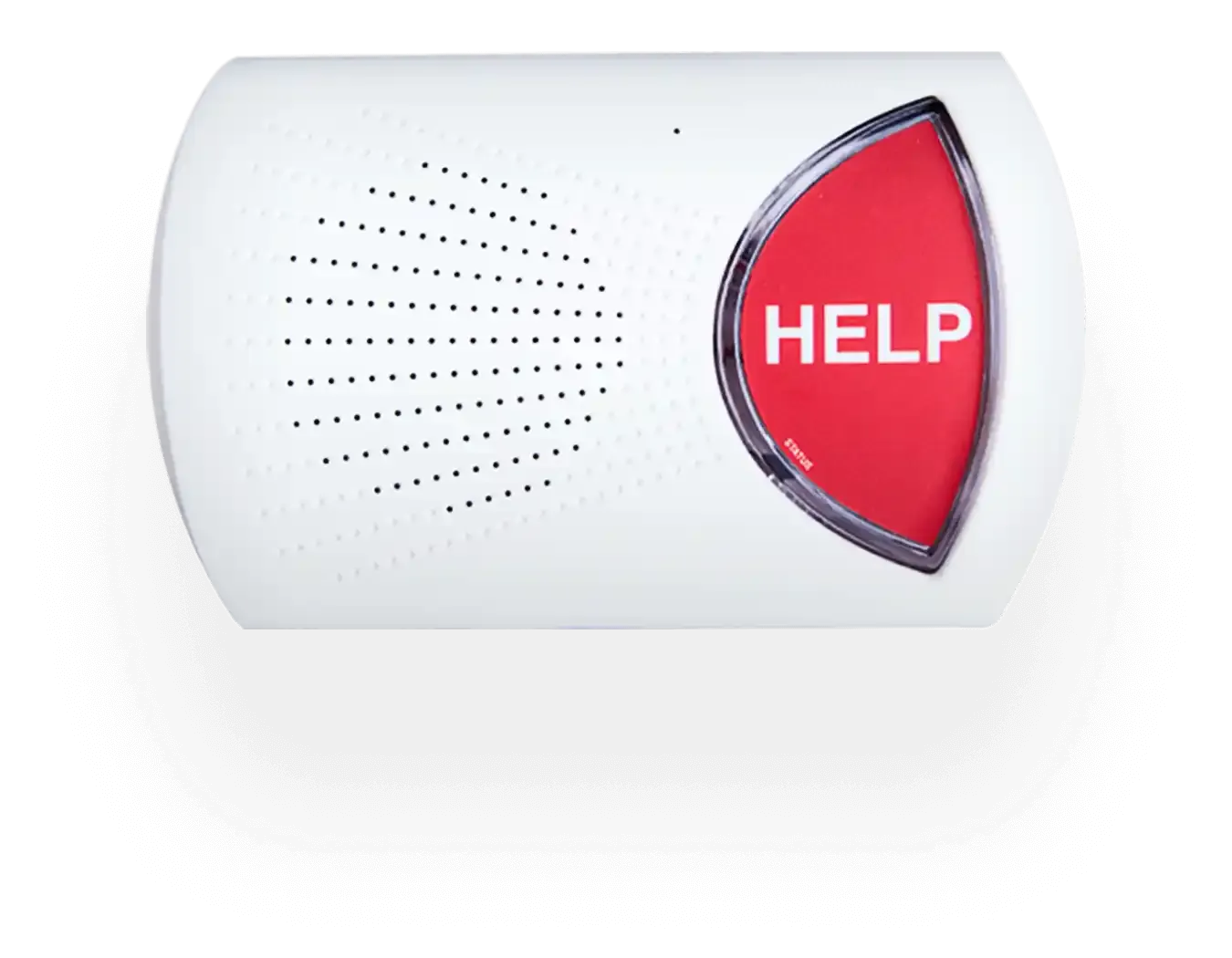
Best for: A person who wants a straightforward button around the house and does not need the same device on outings.
Key specifications: Landline or cellular connection, a powered base with backup battery, and a pendant or wrist help button. The advertised button range reaches up to 1,000 feet. Voice communication takes place at the base; a home button should not be mistaken for a miniature speakerphone.
The device's strength is that the wearable does not require a daily charging routine. Someone can put it on as part of dressing and leave the base in a sensible location. For a wearer who finds screens confusing, a home button is a more direct control than a watch menu. Ask support how low wearable batteries are handled rather than assuming they need the same charger as a mobile device.
Choose the connection based on the home. A suitable landline can be useful where cellular service is weak, while Cellular avoids maintaining a telephone line solely for monitoring. Existing internet-based telephone service should be checked for compatibility. The nominal distance should not replace testing bedrooms, bathrooms, and regularly used outdoor areas.
Our assessment is that SOS Home offers good value when the user's protection needs remain close to the base. Its central limitation is leaving that area. A second household button can be useful, but does not turn the package into mobile protection. See the SOS Home details.
SOS All-In-One 2: Best for Home and Away
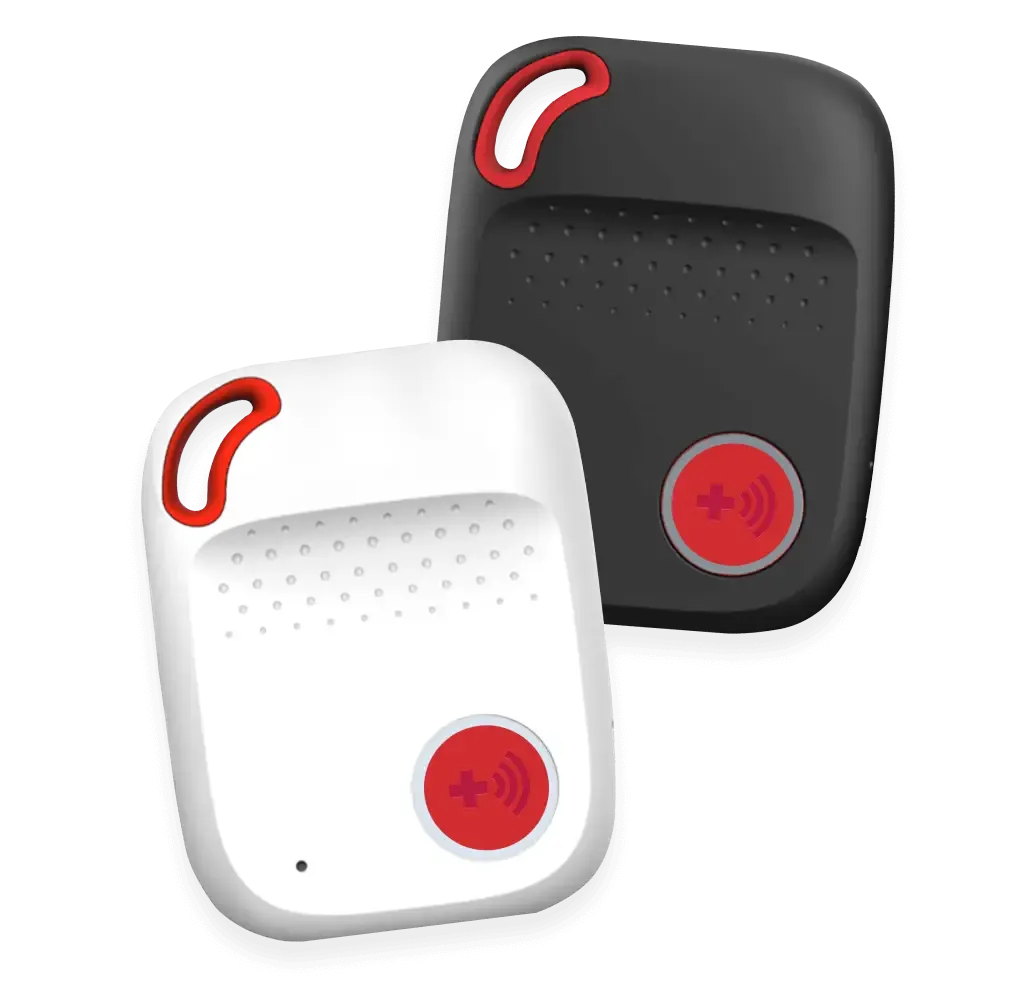
Best for: Someone who wants a portable voice connection and location support without a touchscreen.
Key specifications: Cellular service, GPS with additional location technologies, two-way audio, and optional detection. The main portable device is carried or worn by the user. Select packages offer an additional button for use near the mobile device while it is charging; confirm that accessory and its working range rather than assuming it comes with every plan.
The practical advantage is continuity between rooms and outings. The speaker travels with the person, which is easier to understand than remembering where a home base sits. However, the user still needs to keep the main device nearby. Leaving it on a kitchen counter while taking only an accessory button outdoors would not provide the same mobile operation.
Its longer advertised charging interval is useful for someone who does not want a nightly routine. Establish a regular charging time anyway, and verify how the chosen package handles that interval. Neck wear is the manufacturer's preferred position for detection accuracy; storing the device in a bag is not equivalent to wearing it for a fall-detection service.
We would shortlist All-In-One 2 for someone who values mobile calling and can comfortably carry the larger device. Micro may feel less intrusive, while a home system may cost less for an indoor routine. Choose the current second-generation product when comparing descriptions of earlier versions. See All-In-One 2 specifications.
SOS Micro: Best for a Small, Simple Wearable
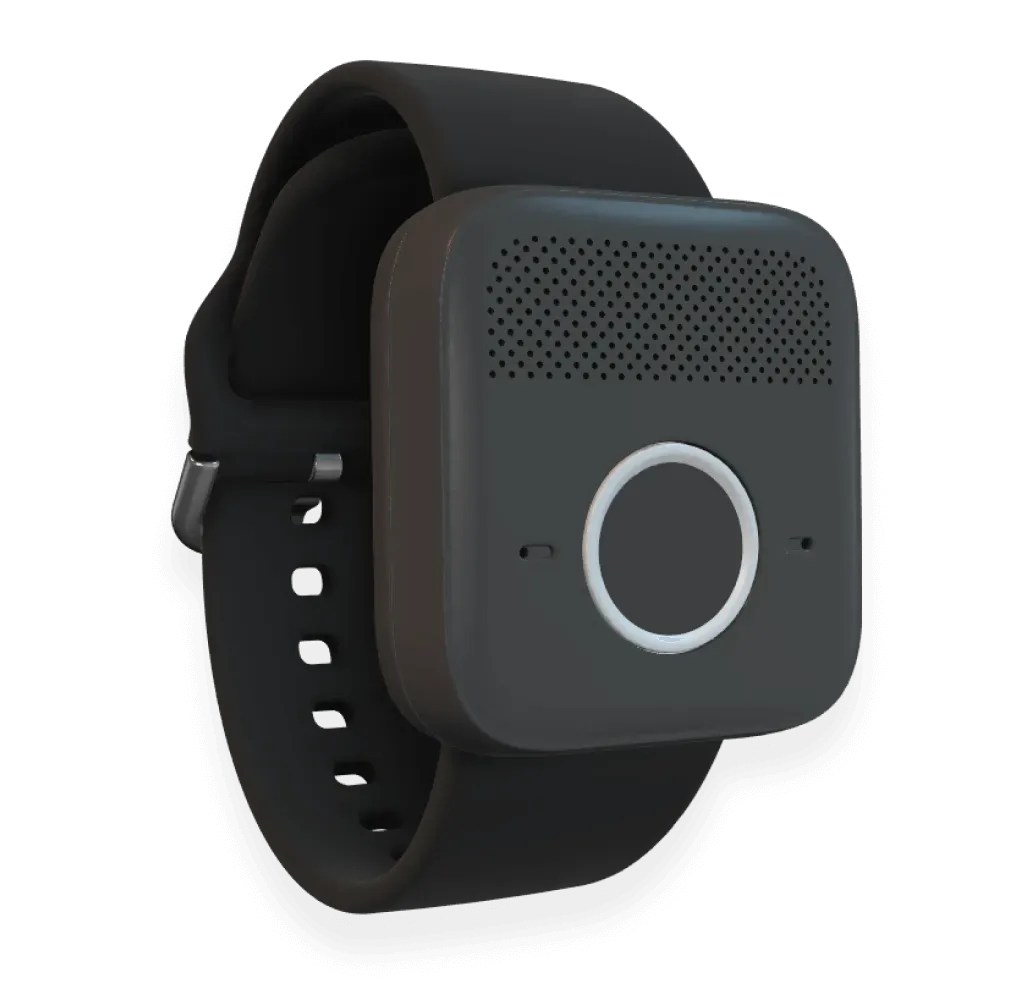
Best for: A user who wants wrist-worn or compact mobile protection without watch apps.
Key specifications: A small help button, speaker, cellular connection, several wearing attachments, and optional detection. Current location specifications list Wi-Fi positioning and cellular information. Some reviews describe Micro as GPS-enabled, but we use the manufacturer's more specific description rather than assuming identical hardware across its mobile products.
Micro addresses a useful middle ground. It can sit on the wrist while keeping operation focused on the emergency button. A person who dislikes a necklace but does not want to read a watch screen may find it easier to accept. Try the fastening and fit; the smallest-looking device is not always the easiest to put on with limited dexterity.
The battery specification suggests a shorter interval than All-In-One 2. That makes a routine important even though there are fewer screen-based functions. Ask for the approved wearing method if detection is added: the product page prefers a neck lanyard for that function. Do not purchase it as a wrist-only detector without confirming the actual configuration.
We would favor Micro when compactness and a clear button take priority over a display. Its compromises are charging, cellular dependence, and location technology that should be understood before purchase. The same starting monitoring rate as All-In-One 2 makes the decision primarily about format rather than a lower subscription. See SOS Micro options.
SOS Smartwatch: Best for Someone Who Likes a Watch
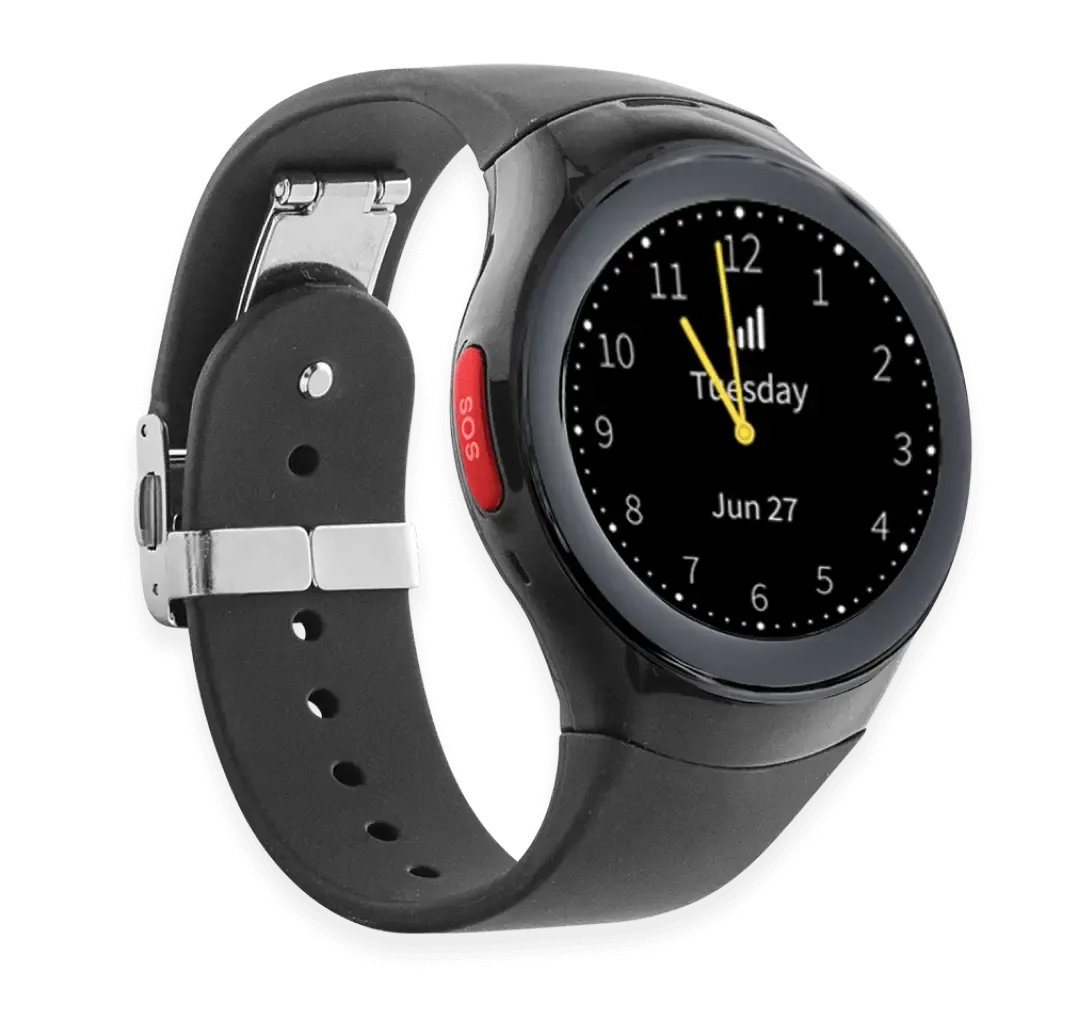
Best for: A watch wearer who wants mobile emergency calling alongside time, weather, and activity functions.
Key specifications: A standalone cellular connection, GPS support, built-in audio, a physical SOS button, and optional detection. It does not require pairing to a personal smartphone. The everyday functions are deliberately narrower than those of a general-purpose smartwatch, which may make operation less overwhelming.
The watch format is the main attraction. It can become part of a familiar dressing routine, and the emergency button avoids needing to navigate a collection of apps just to begin an alert. That does not mean everyone finds the side button easy. Check the required press and hold, watch fit, and ability to hear the speaker before deciding.
The important trade-off is charging. The manufacturer lists six to 18 hours depending on settings and connectivity, and recommends nightly charging. That can leave the wearer without wrist protection during nighttime bathroom trips. Consider a compatible home arrangement or another accessible way to request assistance rather than treating the watch on its cradle as equivalent protection.
Our assessment is that the smartwatch is a good fit for someone who actively prefers it and can manage its routine. We would compare Micro when a simpler wrist button is more attractive, or All-In-One 2 when a longer charging interval matters. See the SOS Smartwatch page.
6. How Does Bay Alarm Medical Work?
The basic operation is designed to reduce the number of decisions needed to request assistance:
- Start an alert. Press the help button according to the model's instructions. Enabled detection on compatible equipment can also start an alert after a recognized fall.
- Speak with monitoring. A trained operator attempts to establish what has happened. The conversation uses the home base or the portable device, depending on the system.
- Coordinate the response. Monitoring can contact designated people or emergency services as appropriate, using the information available for the account and device.
Ask how the operator handles a silent alert and how the address is confirmed away from home. A successful connection is one stage of the response, not proof that help has arrived. Practicing an authorized test makes the sounds and call procedure familiar. The person wearing the device should participate, rather than leaving all interaction to the family member who placed the order.
7. Performance and Reliability
Published Tests Give Context, Not Guarantees
Independent reviews provide more useful detail than an advertised response-time claim alone. However, a meaningful reading separates the tested model, the source, and the conditions. A provider-wide average cannot establish the exact performance of a particular watch or a home unit at another address.
Scroll horizontally to see all columns.
| Source | System | Reported connection | Reported detection |
|---|---|---|---|
| NCOA | SOS Home | 31-second average | Three of three staged falls recognized |
| SeniorLiving | SOS Home | Approximately 20 seconds | Seven of ten simulated falls recognized |
| SeniorLiving | All-In-One 2 | Approximately 60 seconds | Eight of ten simulated falls recognized |
| SeniorLiving | SOS Micro | Approximately 20 seconds | Seven of ten simulated falls recognized |
| SeniorLiving | SOS Smartwatch | Approximately 10 seconds | Six of ten simulated falls recognized |
These results are reported by NCOA and SeniorLiving. They were not collected by Medical Alert Picks. Different devices, methods, sample sizes, and network conditions make direct numerical rankings unreliable. The figures describe reaching monitoring, not the arrival time of an ambulance.
Reception and Location Information
Portable equipment needs usable reception in the places the person actually visits. Test at home and ask about service on usual routes; do not infer outdoor reliability from a single indoor call. The alert device's network is distinct from the wearer's personal phone subscription. Ask which connection is supplied instead of choosing solely because a family member already uses a particular carrier.
Location support is useful, but it differs among the products. Micro's specified Wi-Fi positioning and cellular support should not be labeled identical to dedicated GPS. We have not measured its positioning accuracy, and do not claim a maximum error distance. A caregiver looking at the app should note the update time and ask how location is refreshed during an emergency.
Audio, Detection, and Wearing Habits
During a test, check that the wearer can understand the operator in an ordinary room or outdoor setting. A volume adjustment or clearer position may help, but persistent difficulty deserves a support conversation. For home equipment, the operator's speaker remains at the base even when the wearable button is elsewhere.
Follow the approved wearing instructions for detection. A device carried loosely in a bag is not equivalent to one positioned as instructed on the body. When able, use the manual button. If an accidental alert connects, explain it rather than avoiding the conversation.
8. Features and Add-ons
The basic system should provide an understandable way to reach monitoring. Extras address particular gaps: initiating an alert without a press, placing another button in a fixed room, giving responders access, or protecting equipment. They should be evaluated separately instead of accepted as a single bundle of necessary upgrades.
Scroll horizontally to see all columns.
| Option | Reference cost or inclusion | Useful when | Confirm before buying |
|---|---|---|---|
| Automatic fall detection | +$10/month on listed compatible packages | The wearer may be unable to press after a fall | Accessory, activation, and approved wearing position |
| Home detection pendant | $30 equipment fee on listed cellular detection package | A home system needs a compatible detector | Exact home connection and replacement terms |
| Caregiver tracking | Included on supported mobile packages | A family will check location or battery status | Supported app functions and update timing |
| Additional home buttons or lockbox | Ask for the current accessory quote | Another room, wearer, or entry method needs coverage | Compatibility, placement, and full cost |
| Premier Protection Plan | Additional charge; request the model-specific rate | Equipment loss or damage is a concern | Replacement allowance, exclusions, and accessory discounts |
The plan comparison lists detection packages and caregiver tracking, while the FAQ describes equipment protection. A compatible home pendant and a mobile device's integrated detection are different arrangements. Confirm what the selected quote actually supplies.
9. Setup and Ease of Use
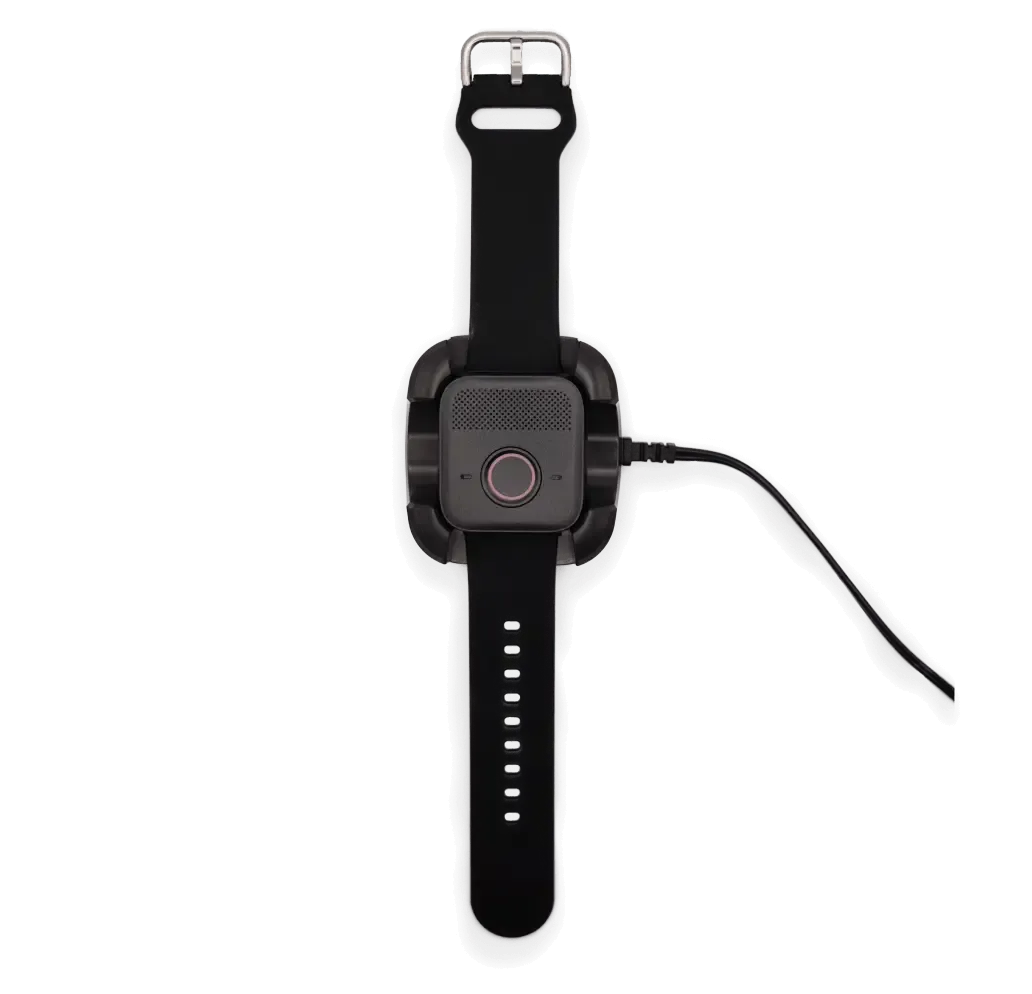
Set aside time for installation soon after delivery. That matters because the return window starts on receipt, not whenever the family gets around to testing. Check the contents against the order, save the packaging, and read the guide supplied with the current model. A previous-generation video may use different indicators or steps.
For SOS Home, pick a location where the base speaker can be heard and power is available. The landline version also needs the correct telephone connection. With Cellular, check reception before treating the system as ready. Test the actual rooms and routinely used outdoor areas instead of relying on a distance printed on a page.
For a portable device, fully charge as instructed and let the wearer practice placing it on its cradle. Check that the charging indication is understood. Someone who can press the help button but struggles to attach a strap or dock the charger may need a different attachment or some regular assistance.
10. Caregiver App and Family Features
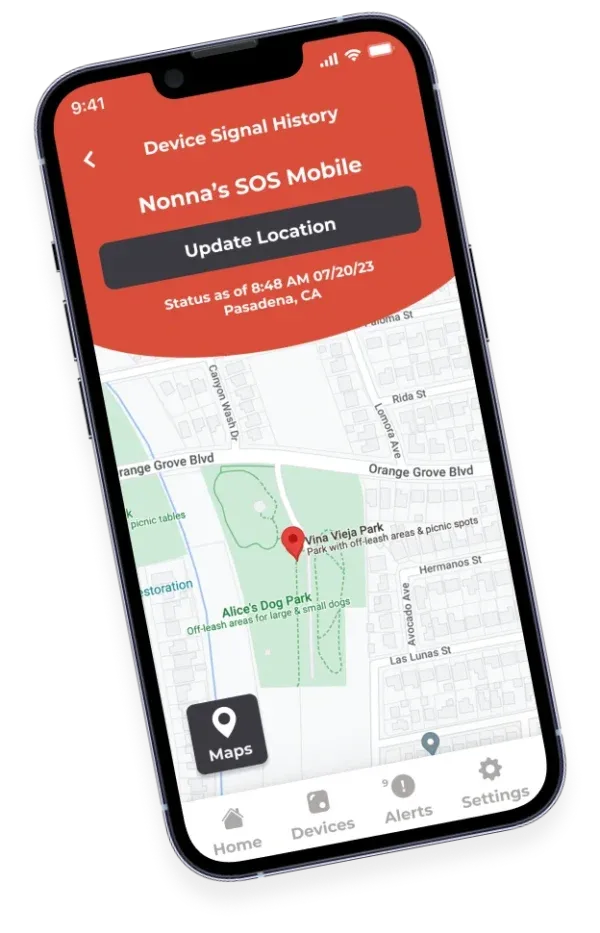
Supported mobile packages include caregiver access to location and battery information. This is helpful when relatives want to check that a device is available or has sufficient power. It also gives the family a practical reason to notice charging problems before the person takes the device outside.
Ask which functions apply to the selected product and how location updates are requested. The smartwatch page contains an older statement limiting tracking to monitoring alongside newer caregiver-app descriptions. Use the current app information and ask support to demonstrate the functions for the supplied watch rather than relying on that older sentence.
The caregiver tracking description explains supported mobile functions. Look at the timestamp on a location display before assuming it describes the current moment. App imagery may illustrate an earlier screen or product label; it should not be interpreted as a precise specification of every system.
11. Customer Service, Warranty, and Cancellation
Monitoring and Customer Support
Monitoring handles requests for assistance, while customer support handles setup, billing, accessories, and account changes. A promise of 24/7 monitoring should not be read as every administrative department being available around the clock. Before ordering, check how the family can reach support for a device problem and how billing questions are handled.
Equipment Coverage and Protection
The FAQ describes base-station coverage for defects or normal wear, with exclusions for damage outside the company's control. It separately describes a paid protection arrangement with a replacement allowance and discounts for some accessories. Those benefits are different from an unlimited promise to replace everything that is lost or damaged.
Ask how coverage applies to a purchased portable device, not only a leased home base. If several systems are ordered, confirm whether allowances apply separately or together. Compare the recurring protection charge with the equipment involved, and request the written exclusions. Do not assume an optional plan covers misuse or every kind of accident simply because it is called a warranty.
The Current Return and Cancellation Process
The company's current refund FAQ describes a 15-day period from receipt, excluding shipping. Some older reviews quote a longer trial. We use the current published window and recommend testing promptly. Confirm the precise return deadline and treatment of purchased equipment or accessories for the order being placed.
To cancel, follow the cancellation instructions: contact the company, obtain shutdown and return guidance, and retain tracking. The account is not fully closed until equipment is returned and processed. The page describes refunds for service charges incurred while processing based on the return's postmark date; keep evidence rather than assuming unplugging the device stops billing.
No advertised long-term contract does not mean no procedure. Ask about unused prepaid service, accessory refunds, return shipping, and written closure confirmation. If another person is handling the request, establish that they are authorized. An equipment return and a stopped payment are not interchangeable steps, and following the documented process gives the family a clearer record.
12. Bay Alarm Medical vs. Competitors
Compare providers by the actual system and package required. A basic landline plan and a mobile watch do not answer the same need, even when they appear in a single ranking. Start with coverage and wearing preference, then compare the cost of an equivalent configuration.
Scroll horizontally to see all columns.
| Provider | Reason to compare | Decision to check |
|---|---|---|
| Bay Alarm Medical | Home, compact, larger mobile, and watch formats | Device comfort, battery routine, and selected package |
| Medical Guardian | Guardian Flex and MGMove alternatives | Charging interval, overall cost, and service commitment |
| MobileHelp | Home and portable alternatives | Current equipment and written cancellation requirements |
| LifeFone | Alternative mobile and family features | Included app tools and annual billing conditions |
Bay Alarm Medical's home equipment arrangement can make its starting cost appealing. Mobile equipment still adds an upfront charge. Medical Guardian offers different wearing styles and battery specifications, but has its own costs and current service commitment. Read the linked reviews for those distinctions instead of transferring one provider's return promise to another.
We would ask each company for a written quote using the same desired detection and accessories. Check coverage at the intended locations and whether a caregiver can manage the app. There is no universal winner based on the device names alone. The best value is the package that fits both the wearer's needs and the family's ability to maintain it.
13. Who Should Buy Bay Alarm Medical?
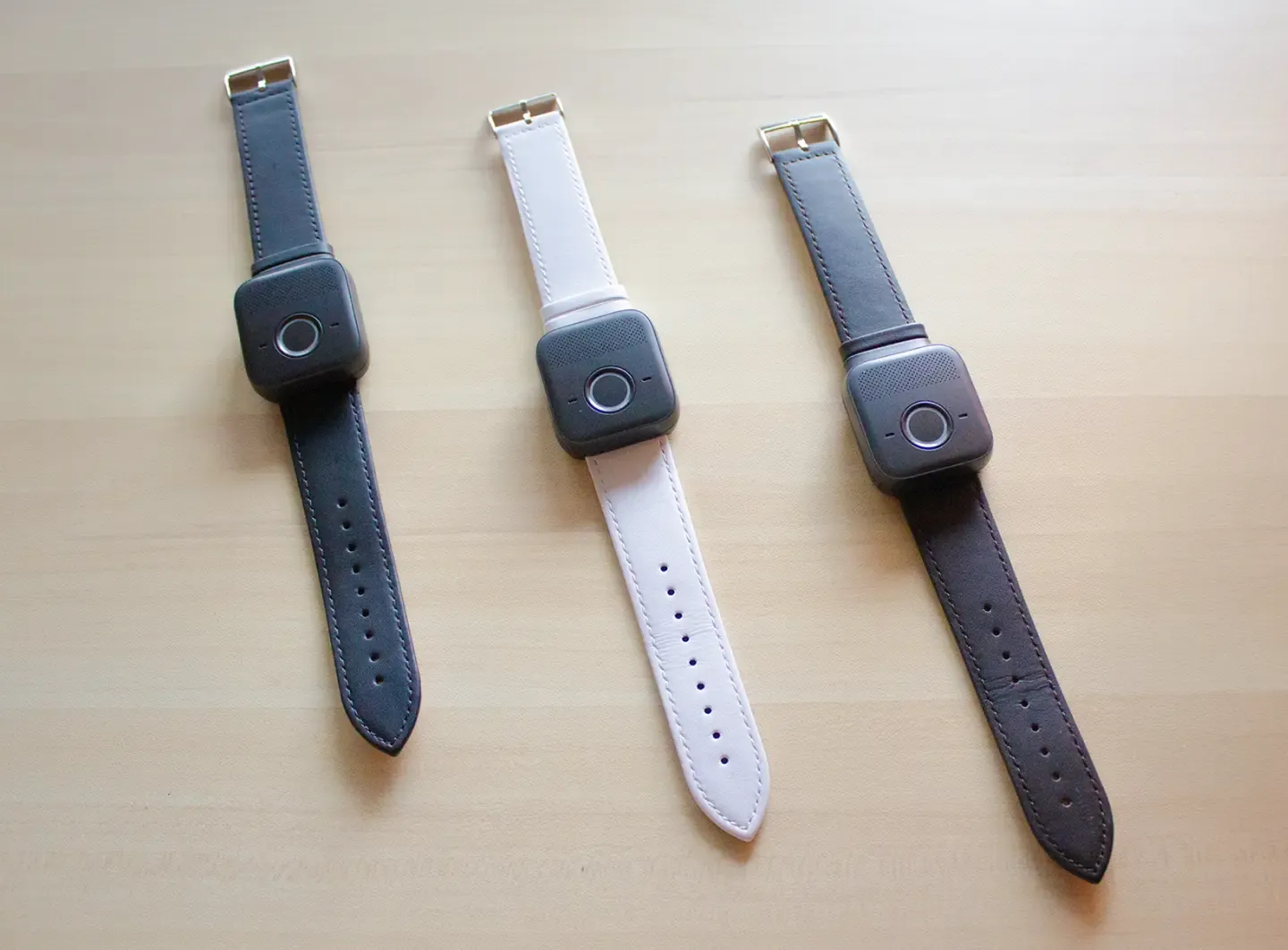
Best for: Someone who wants professional monitoring through a familiar help button and appreciates choosing a home, compact wearable, or watch format. SOS Home is especially sensible for household use. All-In-One 2 suits a user who wants mobile voice calling; Micro suits someone prioritizing a smaller button; the watch suits a wearer who accepts daily charging.
Not ideal for: Someone expecting a portable device to connect without usable reception, a buyer assuming every accessory includes detection, or a person who cannot maintain the selected charging routine. A watch is a poor fit when its appearance is appealing but its controls or fastening make use difficult.
Include the wearer in the decision. Try the attachment, discuss when charging happens, and establish whether someone can help with those tasks. Think about nighttime use as well as daytime outings. If the main goal is a straightforward home button, paying for a screen and location features may add complexity without solving a real need.
14. Final Verdict: Is Bay Alarm Medical Worth It?
Bay Alarm Medical is worth shortlisting for its accessible range of home and portable devices. SOS Home keeps operation simple, All-In-One 2 brings voice calling and location support away from the house, and Micro offers a smaller alternative to a full smartwatch. The watch has clear appeal for someone who likes wrist-worn technology and can maintain a daily charging routine.
The deciding factors are comfort, reception, charging, and the complete cost. Include equipment and useful extras, confirm the detection configuration, and test promptly within the current return window. Independent reviews provide useful evidence, but cannot guarantee a particular user's connection or detection results.
Our recommendation is to choose Bay Alarm Medical when the device format and service arrangement suit the household, then compare equivalent quotes before paying. A clear button used consistently is more valuable than additional features that do not fit the wearer's routine.
VIEW BAY ALARM MEDICAL PLANS